
India launches e-OCI card: 50 lakh OCI holders no longer need a physical booklet; Steps to download
The e-OCI card allows the entire OCI process- application, document submission, and card download- to be completed online without any physical paperwork
- Jul 2, 2026,
- Updated Jul 2, 2026 9:36 AM IST
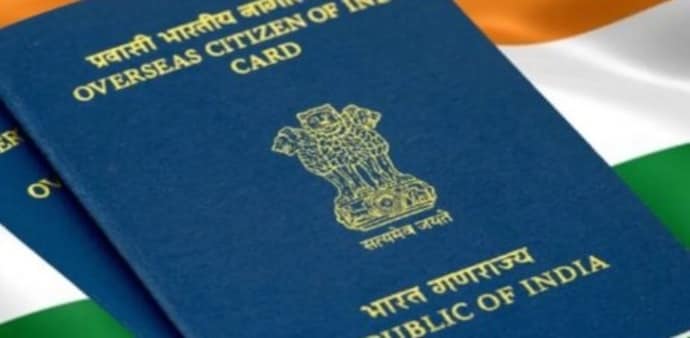
Over 50 lakh Overseas Citizens of India across the world no longer need to carry a physical OCI booklet. Union Home Minister Amit Shah launched the e-OCI Card in New Delhi, introducing a fully digital alternative that allows cardholders to download their OCI credentials on a mobile phone and present them at immigration check posts and to airlines.
The launch was part of a broader digital governance push that also saw Shah unveil the FCRA 2.0 Portal — an upgraded compliance platform for organisations working under the Foreign Contribution Regulation Act.
DON'T MISS: Visa changes for Indians from July 1: US, Japan, Vietnam, Australia change travel, permit rules
What the e-OCI card means for cardholders
The e-OCI card allows the entire OCI process, application, document submission, and card download, to be completed online without any physical paperwork. For existing cardholders, the process is straightforward.
According to the Bureau of Immigration, Government of India: "Great News for All OCI Cardholders! The e-OCI (Electronic OCI Card) has been officially launched! No more carrying your physical OCI booklet everywhere. You can now download your digital e-OCI Card on your mobile phone and present it at Immigration Check Posts and to airlines."
One of the most significant changes the new system brings is the elimination of mandatory OCI booklet reissuance every time a cardholder receives a new passport after the age of 20. Under the revised process, holders will only need to update their passport details online — a change that removes a long-standing procedural burden for the diaspora.
The digital format also reduces the risk of loss or damage to physical documents, speeds up identity verification, and is expected to result in smoother immigration clearance for OCI cardholders globally.
How to download your e-OCI card
The Bureau of Immigration has laid out the steps for existing cardholders to access their digital card:
- Log in to the OCI Services Portal at ociservices.gov.in using your existing User ID and Password.
- If you have not yet registered, complete the registration using the email address provided during your original OCI application.
- Once logged in, click on the e-OCI tab on the dashboard.
- Your application details will appear, and in the last column, click on Generate e-OCI Card.
- The card will be generated and made available for download.
- Save it to your mobile phone for use at immigration checkpoints and with airlines.
The existing physical OCI card remains valid and does not need to be surrendered.
The FCRA 2.0 portal
Launched alongside the e-OCI card, the FCRA 2.0 Portal brings the entire compliance process under the Foreign Contribution Regulation Act online, covering applications, renewals, annual returns, and related services. It incorporates Aadhaar-based authentication, e-Sign, OCR-based document analysis, and integration with databases including PAN, Aadhaar, OCI, and NGO Darpan.
The upgraded platform is expected to serve nearly 14,500 active FCRA-registered organisations, reducing paperwork and strengthening monitoring of foreign contributions through a fully digital system.
The government has also signalled further additions in the pipeline, including an FCRA mobile application, an AI-powered chatbot, and a dedicated online dashboard for banks.
Over 50 lakh Overseas Citizens of India across the world no longer need to carry a physical OCI booklet. Union Home Minister Amit Shah launched the e-OCI Card in New Delhi, introducing a fully digital alternative that allows cardholders to download their OCI credentials on a mobile phone and present them at immigration check posts and to airlines.
The launch was part of a broader digital governance push that also saw Shah unveil the FCRA 2.0 Portal — an upgraded compliance platform for organisations working under the Foreign Contribution Regulation Act.
DON'T MISS: Visa changes for Indians from July 1: US, Japan, Vietnam, Australia change travel, permit rules
What the e-OCI card means for cardholders
The e-OCI card allows the entire OCI process, application, document submission, and card download, to be completed online without any physical paperwork. For existing cardholders, the process is straightforward.
According to the Bureau of Immigration, Government of India: "Great News for All OCI Cardholders! The e-OCI (Electronic OCI Card) has been officially launched! No more carrying your physical OCI booklet everywhere. You can now download your digital e-OCI Card on your mobile phone and present it at Immigration Check Posts and to airlines."
One of the most significant changes the new system brings is the elimination of mandatory OCI booklet reissuance every time a cardholder receives a new passport after the age of 20. Under the revised process, holders will only need to update their passport details online — a change that removes a long-standing procedural burden for the diaspora.
The digital format also reduces the risk of loss or damage to physical documents, speeds up identity verification, and is expected to result in smoother immigration clearance for OCI cardholders globally.
How to download your e-OCI card
The Bureau of Immigration has laid out the steps for existing cardholders to access their digital card:
- Log in to the OCI Services Portal at ociservices.gov.in using your existing User ID and Password.
- If you have not yet registered, complete the registration using the email address provided during your original OCI application.
- Once logged in, click on the e-OCI tab on the dashboard.
- Your application details will appear, and in the last column, click on Generate e-OCI Card.
- The card will be generated and made available for download.
- Save it to your mobile phone for use at immigration checkpoints and with airlines.
The existing physical OCI card remains valid and does not need to be surrendered.
The FCRA 2.0 portal
Launched alongside the e-OCI card, the FCRA 2.0 Portal brings the entire compliance process under the Foreign Contribution Regulation Act online, covering applications, renewals, annual returns, and related services. It incorporates Aadhaar-based authentication, e-Sign, OCR-based document analysis, and integration with databases including PAN, Aadhaar, OCI, and NGO Darpan.
The upgraded platform is expected to serve nearly 14,500 active FCRA-registered organisations, reducing paperwork and strengthening monitoring of foreign contributions through a fully digital system.
The government has also signalled further additions in the pipeline, including an FCRA mobile application, an AI-powered chatbot, and a dedicated online dashboard for banks.