
India rolls out e-Passports: Biometric security with no rush to replace old booklets; How can you apply, details here
A phased rollout of the RFID-enabled ePassport begins this month, putting a tamper-proof electronic chip beneath a gold-coloured logo on the navy-blue cover
- May 22, 2025,
- Updated May 22, 2025 5:14 PM IST
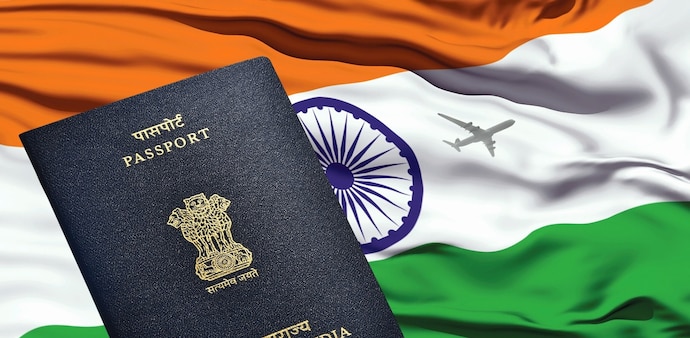
India has flipped the page on traditional passports. A phased rollout of the RFID-enabled ePassport begins this month, putting a tamper-proof electronic chip beneath a gold-coloured logo on the navy-blue cover. The upgrade vaults India into an elite group of more than 120 countries, including the US, Canada, France, Japan and Australia, that already issue biometric e-passports.
The ePassport's embedded antenna stores a digitally signed replica of the holder's personal and biometric details. Immigration officers worldwide can authenticate that data in seconds, slashing wait times and shutting the door on forged documents.
Built for tougher borders
-
Enhanced data security – All information appears both in print and in an encrypted chip, protected by Public Key Infrastructure (PKI).
-
ICAO compliance – India’s booklet meets International Civil Aviation Organization Doc 9303 norms, adding Basic Access Control (BAC), Passive Authentication (PA) and Extended Access Control (EAC) for fingerprint data.
-
Faster immigration lanes – Contactless e-gates can verify travellers automatically, trimming queues and human error.
-
Fraud deterrence – The multilayer encryption, plus micro-text and holograms, makes counterfeiting “virtually impossible,” according to officials.
Advertisement
How to apply for an e-passport in India: A step-by-step guide
Step 1: Register on the Passport Seva Portal
Visit passportindia.gov.in, click on “Register Now” on the homepage, and create your login credentials.
Step 2: Log in and choose your service
After logging in, select “Apply for Fresh Passport/Re-issue of Passport.”
-
First-time applicants should select “Fresh Issuance.”
-
Make sure you haven’t previously held an Ordinary, Diplomatic, or Official Passport.
Step 3: Fill and submit the application
Complete the online form with accurate personal details and submit it. Save the application for the next step.
Step 4: Pay and schedule your appointment
Click on “Pay and Schedule Appointment” under the “View Saved/Submitted Applications” section.
-
Online payment is mandatory to confirm your slot at a PSK, POPSK, or Post Office centre.
-
You can choose a date and time convenient to you based on slot availability.
Step 5: Print and save your appointment receipt
Once payment is complete, download and print the receipt containing your Application Reference Number (ARN) or appointment ID. You’ll also receive an SMS with appointment details, keep it handy for verification.
Step 6: Visit the passport office for biometric and document verification
On the day of your appointment, head to the designated PSK or RPO with original documents and your printed receipt.
-
Biometric data (photo and fingerprints) will be collected during the visit.
-
Your documents will be physically verified as part of the process.
After successful verification and processing, your e-passport will be issued and sent to your registered address.
National security, digital push
By syncing passport data with real-time watch-lists, authorities gain sharper visibility on cross-border movement. Policy-makers also hail the booklet as another stride toward paperless governance and seamless digital identity checks.
Do existing passport holders need to upgrade?
No, existing passport holders are not required to switch to an e-passport. Traditional passports will remain valid until their expiration date. The e-passport is being introduced as an optional upgrade, with no immediate obligation for citizens to transition.
What’s next for the e-passport rollout?
The introduction of the e-passport marks the beginning of a gradual shift towards a more secure and efficient passport system. As the technology gains traction and expands across the country, it will significantly streamline international travel for Indian citizens, further solidifying India’s commitment to adopting cutting-edge public services.
India has flipped the page on traditional passports. A phased rollout of the RFID-enabled ePassport begins this month, putting a tamper-proof electronic chip beneath a gold-coloured logo on the navy-blue cover. The upgrade vaults India into an elite group of more than 120 countries, including the US, Canada, France, Japan and Australia, that already issue biometric e-passports.
The ePassport's embedded antenna stores a digitally signed replica of the holder's personal and biometric details. Immigration officers worldwide can authenticate that data in seconds, slashing wait times and shutting the door on forged documents.
Built for tougher borders
-
Enhanced data security – All information appears both in print and in an encrypted chip, protected by Public Key Infrastructure (PKI).
-
ICAO compliance – India’s booklet meets International Civil Aviation Organization Doc 9303 norms, adding Basic Access Control (BAC), Passive Authentication (PA) and Extended Access Control (EAC) for fingerprint data.
-
Faster immigration lanes – Contactless e-gates can verify travellers automatically, trimming queues and human error.
-
Fraud deterrence – The multilayer encryption, plus micro-text and holograms, makes counterfeiting “virtually impossible,” according to officials.
Advertisement
How to apply for an e-passport in India: A step-by-step guide
Step 1: Register on the Passport Seva Portal
Visit passportindia.gov.in, click on “Register Now” on the homepage, and create your login credentials.
Step 2: Log in and choose your service
After logging in, select “Apply for Fresh Passport/Re-issue of Passport.”
-
First-time applicants should select “Fresh Issuance.”
-
Make sure you haven’t previously held an Ordinary, Diplomatic, or Official Passport.
Step 3: Fill and submit the application
Complete the online form with accurate personal details and submit it. Save the application for the next step.
Step 4: Pay and schedule your appointment
Click on “Pay and Schedule Appointment” under the “View Saved/Submitted Applications” section.
-
Online payment is mandatory to confirm your slot at a PSK, POPSK, or Post Office centre.
-
You can choose a date and time convenient to you based on slot availability.
Step 5: Print and save your appointment receipt
Once payment is complete, download and print the receipt containing your Application Reference Number (ARN) or appointment ID. You’ll also receive an SMS with appointment details, keep it handy for verification.
Step 6: Visit the passport office for biometric and document verification
On the day of your appointment, head to the designated PSK or RPO with original documents and your printed receipt.
-
Biometric data (photo and fingerprints) will be collected during the visit.
-
Your documents will be physically verified as part of the process.
After successful verification and processing, your e-passport will be issued and sent to your registered address.
National security, digital push
By syncing passport data with real-time watch-lists, authorities gain sharper visibility on cross-border movement. Policy-makers also hail the booklet as another stride toward paperless governance and seamless digital identity checks.
Do existing passport holders need to upgrade?
No, existing passport holders are not required to switch to an e-passport. Traditional passports will remain valid until their expiration date. The e-passport is being introduced as an optional upgrade, with no immediate obligation for citizens to transition.
What’s next for the e-passport rollout?
The introduction of the e-passport marks the beginning of a gradual shift towards a more secure and efficient passport system. As the technology gains traction and expands across the country, it will significantly streamline international travel for Indian citizens, further solidifying India’s commitment to adopting cutting-edge public services.