
ChatGPT comes to Apple CarPlay: Step-by-step guide on how to use chatbot while driving
Know how to use ChatGPT on Apple's CarPlay with the latest iOS 26.4 update.
- Apr 3, 2026,
- Updated Apr 3, 2026 1:23 PM IST
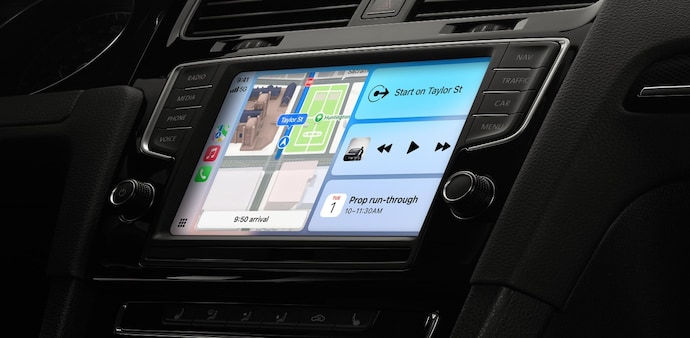
Apple has integrated OpenAI’s ChatGPT into CarPlay with the latest iOS 26.4 update, making it the first major AI chatbot integration into Apple's in-car system. Users can now leverage the conversational AI in their car’s dashboard and talk to the AI assistant hands-free while driving. This CarPlay upgrade was possible due to Apple bringing support for “voice-based conversational apps.”
Therefore, whether you need to brainstorm during your commute or stay entertained with AI-generated jokes, ChatGPT is now just a tap away. Know how to use ChatGPT on Apple CarPlay.
How to use ChatGPT on Apple CarPlay?
To get started with ChatGPT on Apple CarPlay, make sure to update your iPhone to the latest iOS 26.4 update and have the latest version of the ChatGPT app installed. Also, note that the feature will only support cars with Apple CarPlay.
Connect your iPhone to CarPlay: Plug into your car’s USB port or connect via wireless.
Locate the app: Find the ChatGPT app on your CarPlay home screen and tap it.
Start a conversation: Click on "New Voice Chat." It will soon transition from "Connecting" to "Listening."
Speak in natural language: Simply prompt ChatGPT, and it will process and respond via the car’s speakers.
Resume a chat: Select the recent chat you want to continue, and speak your prompt to continue the conversation.
To make it even more seamless, enable the Auto-Start Mode, go to Settings > Voice within the ChatGPT app on your iPhone and enable "Start automatically in CarPlay."
This bypasses the menu and drops you straight into a voice session the moment you open the app on your dashboard.
ChatGPT on CarPlay feature is rolling out globally to all users, including Free, Plus, Pro, and Team/Enterprise. For the European Economic Area (EEA), Switzerland, and the UK, the feature is said to be rolled out soon.
For Unparalleled coverage of India's Businesses and Economy – Subscribe to Business Today Magazine
Apple has integrated OpenAI’s ChatGPT into CarPlay with the latest iOS 26.4 update, making it the first major AI chatbot integration into Apple's in-car system. Users can now leverage the conversational AI in their car’s dashboard and talk to the AI assistant hands-free while driving. This CarPlay upgrade was possible due to Apple bringing support for “voice-based conversational apps.”
Therefore, whether you need to brainstorm during your commute or stay entertained with AI-generated jokes, ChatGPT is now just a tap away. Know how to use ChatGPT on Apple CarPlay.
How to use ChatGPT on Apple CarPlay?
To get started with ChatGPT on Apple CarPlay, make sure to update your iPhone to the latest iOS 26.4 update and have the latest version of the ChatGPT app installed. Also, note that the feature will only support cars with Apple CarPlay.
Connect your iPhone to CarPlay: Plug into your car’s USB port or connect via wireless.
Locate the app: Find the ChatGPT app on your CarPlay home screen and tap it.
Start a conversation: Click on "New Voice Chat." It will soon transition from "Connecting" to "Listening."
Speak in natural language: Simply prompt ChatGPT, and it will process and respond via the car’s speakers.
Resume a chat: Select the recent chat you want to continue, and speak your prompt to continue the conversation.
To make it even more seamless, enable the Auto-Start Mode, go to Settings > Voice within the ChatGPT app on your iPhone and enable "Start automatically in CarPlay."
This bypasses the menu and drops you straight into a voice session the moment you open the app on your dashboard.
ChatGPT on CarPlay feature is rolling out globally to all users, including Free, Plus, Pro, and Team/Enterprise. For the European Economic Area (EEA), Switzerland, and the UK, the feature is said to be rolled out soon.
For Unparalleled coverage of India's Businesses and Economy – Subscribe to Business Today Magazine