
Google’s Gemini bring Nano Banana to ‘Personal Intelligence’: Here’s how to use it
Google’s Personal Intelligence features connect Gemini with your Google account, giving AI access to Gmail, Photos, and Search to deliver highly tailored responses.
- Apr 17, 2026,
- Updated Apr 17, 2026 3:23 PM IST
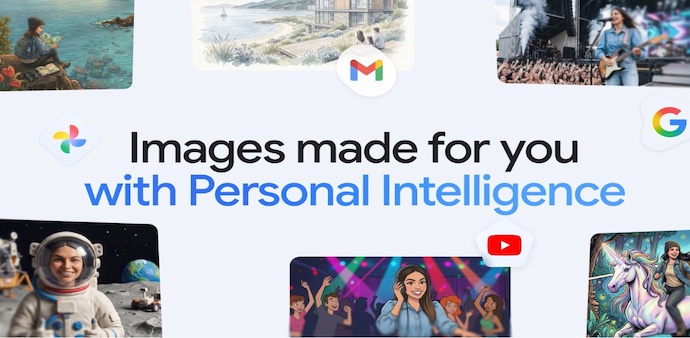
Earlier this week, Google rolled out the “Personal Intelligence” feature to the Gemini app in India, and now the company is making the tool more personal with image generation capabilities. Personal Intelligence now works alongside Nano Banana 2 and your Google Photos library to create images that reflect your preferences. Therefore, the images will be tailored to your life, uniqueness, and data. Know how it works, and how you can use it.
What is “Personal Intelligence” in Gemini?
As we reported earlier, Google’s Personal Intelligence features connect Gemini with your Google account, giving AI access to Gmail, Photos, and Search to deliver highly tailored responses. This way, you get responses and images that align with your interests, habits, and context.
Google says, “By integrating this context directly with Nano Banana 2, Gemini can automatically fill in the blanks, grounding every creation in the things you care about most. And since this is built into how you normally use the Gemini app, there’s no extra setup.”
How to use Nano Banana in Gemini with personal intelligence
Step 1: Open the Gemini app on your Android or iOS. (Make sure you’re signed in with your Google account.
Step 2: Enable Personal Intelligence to allow Gemini to connect with Google Photos. This is what enables personalised outputs.
Step 3: Now, type your image generation prompt like “Design my dream home based on screenshots from Pinterest,” or “Create a travel poster based on my last holiday.”
Step 4: Make edits, remix, or build on those images, like changing backgrounds or creating new scenes.
Note: Users can also adjust lighting, style, or details, as it supports multi-step editing and iteration for better outputs
The new personalised image feature in Gemini is rolling out gradually over the next few days. As of now, it’s limited to paid subscribers of Google’s AI plans, AI Plus, Pro, and Ultra in the United States. More users will get access, and Google also plans to bring this feature to Gemini on Chrome desktops soon.
For Unparalleled coverage of India's Businesses and Economy – Subscribe to Business Today Magazine
Earlier this week, Google rolled out the “Personal Intelligence” feature to the Gemini app in India, and now the company is making the tool more personal with image generation capabilities. Personal Intelligence now works alongside Nano Banana 2 and your Google Photos library to create images that reflect your preferences. Therefore, the images will be tailored to your life, uniqueness, and data. Know how it works, and how you can use it.
What is “Personal Intelligence” in Gemini?
As we reported earlier, Google’s Personal Intelligence features connect Gemini with your Google account, giving AI access to Gmail, Photos, and Search to deliver highly tailored responses. This way, you get responses and images that align with your interests, habits, and context.
Google says, “By integrating this context directly with Nano Banana 2, Gemini can automatically fill in the blanks, grounding every creation in the things you care about most. And since this is built into how you normally use the Gemini app, there’s no extra setup.”
How to use Nano Banana in Gemini with personal intelligence
Step 1: Open the Gemini app on your Android or iOS. (Make sure you’re signed in with your Google account.
Step 2: Enable Personal Intelligence to allow Gemini to connect with Google Photos. This is what enables personalised outputs.
Step 3: Now, type your image generation prompt like “Design my dream home based on screenshots from Pinterest,” or “Create a travel poster based on my last holiday.”
Step 4: Make edits, remix, or build on those images, like changing backgrounds or creating new scenes.
Note: Users can also adjust lighting, style, or details, as it supports multi-step editing and iteration for better outputs
The new personalised image feature in Gemini is rolling out gradually over the next few days. As of now, it’s limited to paid subscribers of Google’s AI plans, AI Plus, Pro, and Ultra in the United States. More users will get access, and Google also plans to bring this feature to Gemini on Chrome desktops soon.
For Unparalleled coverage of India's Businesses and Economy – Subscribe to Business Today Magazine