
Android phones could soon shut down, restart or put your PC to sleep remotely
Microsoft’s Phone Link could soon give Android users more control over Windows PCs, adding convenient remote options while warning about unsaved work and disconnected devices before key actions.
- Aug 28, 2026,
- Updated Aug 28, 2026 5:00 PM IST
Microsoft is continuing to expand the connection between Android phones and Windows PCs, gradually bringing more functions into its Phone Link ecosystem. The integration already allows you to manage certain phone and computer features from either device, making it easier to stay connected without constantly switching between screens.
Must Read: Mobile threat detections per user jump 49% across APAC; What Indian consumers need to know
Now, another capability has surfaced that could make managing your PC more convenient when you are away from your desk. The feature is not available yet, but its appearance in Microsoft's Android companion app suggests that your smartphone could eventually take on a more active role in controlling your Windows PC remotely.
Android phone could control PC power options
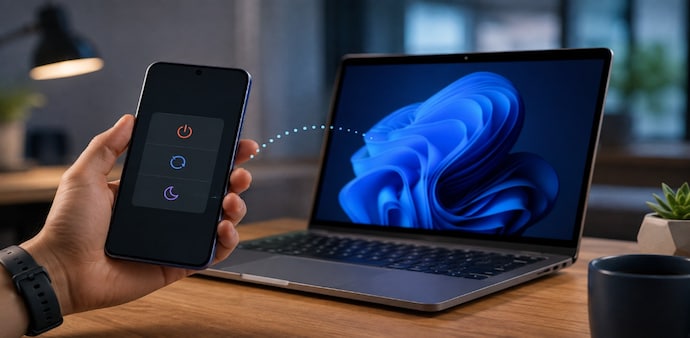
Code found in Microsoft's Link to Windows Android app suggests that users could remotely shut down, restart or put their PC to sleep from an Android phone. The discovered commands also include options to restart and install an update or shut down and install an update.
The feature was discovered during an APK teardown by Windows Latest. At present, Link to Windows already allows you to lock your computer remotely, but there are no options for shutting it down, restarting it or putting it to sleep. The newly discovered commands appear to build on that existing remote-control functionality.
Must Read: Telegram turns 13 with a feature-packed update: What’s new for users
Microsoft has also been expanding Windows 11's Android integration. Recent developments include experiments around Phone Link and other ways of bringing Android features and information closer to the Windows experience.
Warnings could prevent accidental shutdowns
The proposed controls include warnings before certain actions. If you choose to shut down or restart your PC, the app could warn you that unsaved work may be lost. This could be useful if you have stepped away from your computer and cannot check which applications are open.
Putting the PC to sleep would trigger another warning because your phone would be disconnected from Phone Link. You would then need to wake the computer manually before reconnecting.
If the PC is installing an update, the proposed warning would explain that a restart is required to complete it and that unsaved work in open apps could be lost.
Feature is not available yet
These controls are not currently activated in the Link to Windows app. Since the discovery comes from an APK teardown, Microsoft has not confirmed a rollout, and there is no guarantee the features will officially reach users.
For Unparalleled coverage of India's Businesses and Economy – Subscribe to Business Today Magazine
Microsoft is continuing to expand the connection between Android phones and Windows PCs, gradually bringing more functions into its Phone Link ecosystem. The integration already allows you to manage certain phone and computer features from either device, making it easier to stay connected without constantly switching between screens.
Must Read: Mobile threat detections per user jump 49% across APAC; What Indian consumers need to know
Now, another capability has surfaced that could make managing your PC more convenient when you are away from your desk. The feature is not available yet, but its appearance in Microsoft's Android companion app suggests that your smartphone could eventually take on a more active role in controlling your Windows PC remotely.
Android phone could control PC power options
Code found in Microsoft's Link to Windows Android app suggests that users could remotely shut down, restart or put their PC to sleep from an Android phone. The discovered commands also include options to restart and install an update or shut down and install an update.
The feature was discovered during an APK teardown by Windows Latest. At present, Link to Windows already allows you to lock your computer remotely, but there are no options for shutting it down, restarting it or putting it to sleep. The newly discovered commands appear to build on that existing remote-control functionality.
Must Read: Telegram turns 13 with a feature-packed update: What’s new for users
Microsoft has also been expanding Windows 11's Android integration. Recent developments include experiments around Phone Link and other ways of bringing Android features and information closer to the Windows experience.
Warnings could prevent accidental shutdowns
The proposed controls include warnings before certain actions. If you choose to shut down or restart your PC, the app could warn you that unsaved work may be lost. This could be useful if you have stepped away from your computer and cannot check which applications are open.
Putting the PC to sleep would trigger another warning because your phone would be disconnected from Phone Link. You would then need to wake the computer manually before reconnecting.
If the PC is installing an update, the proposed warning would explain that a restart is required to complete it and that unsaved work in open apps could be lost.
Feature is not available yet
These controls are not currently activated in the Link to Windows app. Since the discovery comes from an APK teardown, Microsoft has not confirmed a rollout, and there is no guarantee the features will officially reach users.
For Unparalleled coverage of India's Businesses and Economy – Subscribe to Business Today Magazine