
eMudhra certificate alert: How to update Android and iPhone apps to improve your device security
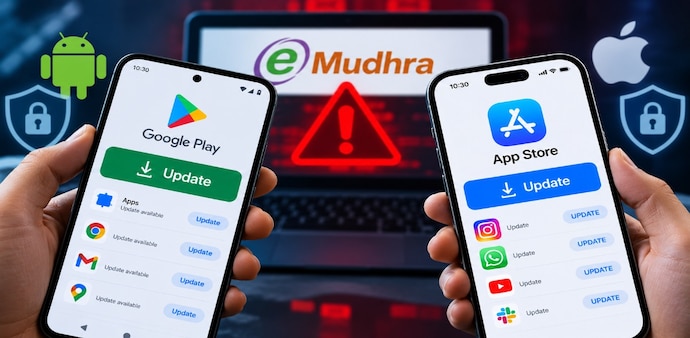
Google has pushed certificate protection to Android devices through Play Services. Browsers have already blocked the affected eMudhra certificates. Here’s how you can update your apps and check for updates.
- Oct 22, 2026,
- Updated Oct 22, 2026 11:38 AM IST
The eMudhra certificate issue means some devices may not verify website security correctly. CERT-In says weak keys let attackers recover private keys from eight certificate authorities.
Google and Mozilla have blocked the affected certificates. If you use Android, you get protection through Play Services. Restart your device to trigger the update right away. Still, updating your apps is just one step and won’t cover every certificate risk.
MUST READ | Critical PHP vulnerabilities: What is it, how it can affect websites & what should users know?
How to update apps on Android
You can check for Android app updates in the Google Play Store.
- Open the Google Play Store.
- Tap your profile picture in the top-right corner.
- Select Manage apps and device.
- Under “Updates available”, tap See details.
- Tap Update next to an individual app or select Update all.
You can also enable automatic app updates through the Play Store’s settings. Follow Google’s official guide to updating Android apps for detailed instructions.
Google says it delivered eMudhra certificate protection to Android devices through Google Play Services. To trigger the update immediately, restart your phone, as Google recommends in its incident update.
You should also check for Android system updates. Open Settings and look for System update or Software update. The exact menu varies by manufacturer and device.
DON'T MISS | 'Gross negligence, unforgivable': eMudhra faces fury over security lapse, techies question leadership
How to update apps on an iPhone
You can check for iPhone app updates in the App Store.
- Open the App Store.
- Tap your account picture at the top of the screen.
- Select App Updates or scroll to the available updates, depending on the interface displayed.
- Tap Update next to an app or select Update All.
Apple’s official app-update guide provides further instructions.
To check for an iOS update, open Settings, select General, and tap Software Update. If an update is available for your device, follow the on-screen instructions to download and install it. You can find more details in Apple’s official iPhone update guide.
Does updating apps protect you from the eMudhra incident?
Keeping apps and operating systems updated helps you receive security fixes, but it doesn't guarantee every application has the latest certificate trust information. Browsers, operating systems and individual applications can rely on different certificate stores.
This distinction also matters for certain server-side applications, including PHP applications that use separate certificate bundles. Updating apps on your phone will not fix an affected website’s backend; website owners and administrators must follow their software vendors’ security guidance and verify that their systems no longer trust affected certificate chains.
Avoid bypassing certificate warnings or installing updates from unofficial sources.
For Unparalleled coverage of India's Businesses and Economy – Subscribe to Business Today Magazine
The eMudhra certificate issue means some devices may not verify website security correctly. CERT-In says weak keys let attackers recover private keys from eight certificate authorities.
Google and Mozilla have blocked the affected certificates. If you use Android, you get protection through Play Services. Restart your device to trigger the update right away. Still, updating your apps is just one step and won’t cover every certificate risk.
MUST READ | Critical PHP vulnerabilities: What is it, how it can affect websites & what should users know?
How to update apps on Android
You can check for Android app updates in the Google Play Store.
- Open the Google Play Store.
- Tap your profile picture in the top-right corner.
- Select Manage apps and device.
- Under “Updates available”, tap See details.
- Tap Update next to an individual app or select Update all.
You can also enable automatic app updates through the Play Store’s settings. Follow Google’s official guide to updating Android apps for detailed instructions.
Google says it delivered eMudhra certificate protection to Android devices through Google Play Services. To trigger the update immediately, restart your phone, as Google recommends in its incident update.
You should also check for Android system updates. Open Settings and look for System update or Software update. The exact menu varies by manufacturer and device.
DON'T MISS | 'Gross negligence, unforgivable': eMudhra faces fury over security lapse, techies question leadership
How to update apps on an iPhone
You can check for iPhone app updates in the App Store.
- Open the App Store.
- Tap your account picture at the top of the screen.
- Select App Updates or scroll to the available updates, depending on the interface displayed.
- Tap Update next to an app or select Update All.
Apple’s official app-update guide provides further instructions.
To check for an iOS update, open Settings, select General, and tap Software Update. If an update is available for your device, follow the on-screen instructions to download and install it. You can find more details in Apple’s official iPhone update guide.
Does updating apps protect you from the eMudhra incident?
Keeping apps and operating systems updated helps you receive security fixes, but it doesn't guarantee every application has the latest certificate trust information. Browsers, operating systems and individual applications can rely on different certificate stores.
This distinction also matters for certain server-side applications, including PHP applications that use separate certificate bundles. Updating apps on your phone will not fix an affected website’s backend; website owners and administrators must follow their software vendors’ security guidance and verify that their systems no longer trust affected certificate chains.
Avoid bypassing certificate warnings or installing updates from unofficial sources.
For Unparalleled coverage of India's Businesses and Economy – Subscribe to Business Today Magazine