
Gmail storage full? Few ways to free up space without paying for Google One
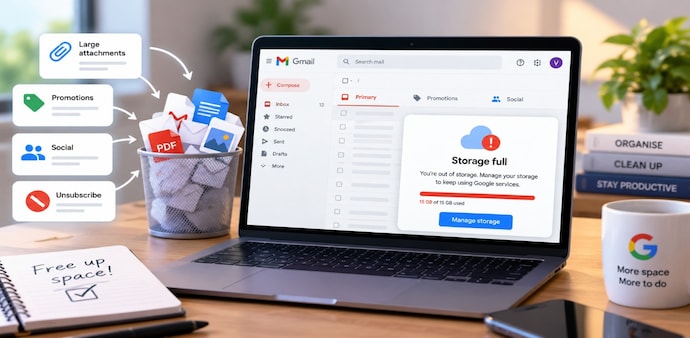
Google storage can often be reclaimed by targeting Gmail’s biggest space hogs first, from oversized attachments and promotions to unwanted subscriptions and old messages.
- Sep 9, 2026,
- Updated Sep 9, 2026 8:00 AM IST
Running out of Google storage does not always mean your Photos or Drive files are the problem. Gmail can quietly consume a sizeable share of your free space, particularly if you have used the service for years and received messages online carrying large attachments.
Must Read: iOS 27 to launch this month with major AI upgrades: Check if your iPhone is compatible
The good news is that you can recover space without immediately paying for Google One. A few Gmail cleanup tools, search commands and subscription controls can help remove unnecessary data while keeping important messages safe.
Start with Gmail’s cleanup tool
Open Gmail, tap your profile icon, choose Clean up space, then review Emails with large attachments. Delete what you do not need, and clear Spam and Trash. Your cleanup tool will find enough emails to free up space, but it can miss emails with smaller attachments.
Search for attachments manually
Use has:attachment to find emails with files, or narrow the results with larger:5MB. You can also add before:2024/01/01 to target older messages. For example - has:attachment larger:5MB before:2024/01/01.
Must Read: Your LG TV could be listening to you in standby mode: New security flaw creates privacy concerns
The method works on the app and website, although the website is easier for reviewing large batches. Empty Trash afterwards.
Clear promotional clutter
Use older_than:1y category:promotions to find older promotional emails and delete unnecessary messages. You can repeat the process for social and update categories. These emails will not free as much space as attachments, but they can help recover additional storage.
Stop unwanted emails
Open Gmail’s Manage Subscriptions section and unsubscribe from newsletters or mailing lists you no longer need. For senders outside that list, open an email, tap the three-dot menu and select Block. Their future emails will go to Spam and be automatically deleted after 30 days.
Back up before deleting
If you are worried about losing important messages, use Google Takeout to export your Gmail mailbox in MBOX format first. You can also create a second Gmail account and forward new messages there, with Gmail configured to delete forwarded emails. Android Authority notes that clearing Photos or Drive, or paying for additional storage, may still be better options.
For Unparalleled coverage of India's Businesses and Economy – Subscribe to Business Today Magazine
Running out of Google storage does not always mean your Photos or Drive files are the problem. Gmail can quietly consume a sizeable share of your free space, particularly if you have used the service for years and received messages online carrying large attachments.
Must Read: iOS 27 to launch this month with major AI upgrades: Check if your iPhone is compatible
The good news is that you can recover space without immediately paying for Google One. A few Gmail cleanup tools, search commands and subscription controls can help remove unnecessary data while keeping important messages safe.
Start with Gmail’s cleanup tool
Open Gmail, tap your profile icon, choose Clean up space, then review Emails with large attachments. Delete what you do not need, and clear Spam and Trash. Your cleanup tool will find enough emails to free up space, but it can miss emails with smaller attachments.
Search for attachments manually
Use has:attachment to find emails with files, or narrow the results with larger:5MB. You can also add before:2024/01/01 to target older messages. For example - has:attachment larger:5MB before:2024/01/01.
Must Read: Your LG TV could be listening to you in standby mode: New security flaw creates privacy concerns
The method works on the app and website, although the website is easier for reviewing large batches. Empty Trash afterwards.
Clear promotional clutter
Use older_than:1y category:promotions to find older promotional emails and delete unnecessary messages. You can repeat the process for social and update categories. These emails will not free as much space as attachments, but they can help recover additional storage.
Stop unwanted emails
Open Gmail’s Manage Subscriptions section and unsubscribe from newsletters or mailing lists you no longer need. For senders outside that list, open an email, tap the three-dot menu and select Block. Their future emails will go to Spam and be automatically deleted after 30 days.
Back up before deleting
If you are worried about losing important messages, use Google Takeout to export your Gmail mailbox in MBOX format first. You can also create a second Gmail account and forward new messages there, with Gmail configured to delete forwarded emails. Android Authority notes that clearing Photos or Drive, or paying for additional storage, may still be better options.
For Unparalleled coverage of India's Businesses and Economy – Subscribe to Business Today Magazine