
Leaving WhatsApp Web logged in? I4C raises alarm over misuse: All details
The Indian government warns WhatsApp users about the potential misuse of authenticated WhatsApp Web sessions. Here's what users must know.
- Nov 23, 2026,
- Updated Nov 23, 2026 4:45 PM IST
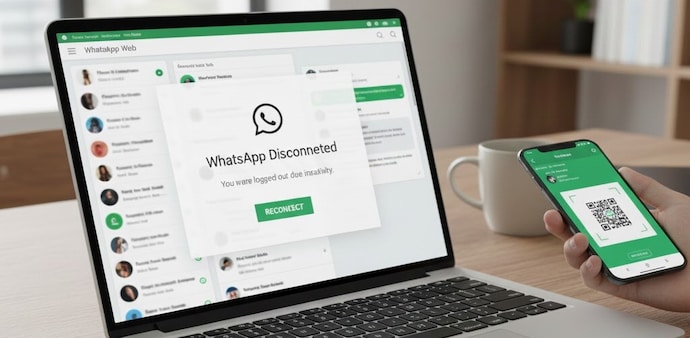
India's cybercrime agency, the Indian Cyber Crime Coordination Centre (I4C), warns WhatsApp users about the risks of leaving their WhatsApp Web accounts logged in on computers or other devices. According to the advisory, leaving WhatsApp Web logged in could lead to unauthorised access, allowing scammers to access the user's account without needing to log in again. This means they can view personal conversations, impersonate users and defraud others.
An advisory by the Union Home Ministry's anti-cybercrime wing dated November 18 stated that "an authenticated WhatsApp Web session may, under certain circumstances, be misused to gain unauthorized access to a user’s WhatsApp account. Such unauthorized access may allow a malicious person to read messages, send messages while impersonating the user, access contacts and group conversations, and misuse the trusted identity of the account holder for fraud, phishing, social engineering or other malicious activities.”
According to the advisory, an authenticated WhatsApp Web session can remain active even after the browser window or tab is closed. Users are therefore advised to manually log out each time.
"Users are therefore advised to exercise caution while using WhatsApp Web, particularly on office computers, shared systems, public computers or devices that may be accessible to other persons. Avoid official or sensitive work on WhatsApp Web. Government, organisational, financial, confidential or other sensitive information should preferably not be exchanged through WhatsApp Web sessions on computers," it said.
Here are a few pointers which users must know:
- It also advised users to use incognito and private browsing mode when logging in from the web.
- It further stated to avoid accessing WhatsApp Web from cyber cafes, hotel business centres, public kiosks, borrowed laptops or computers you don't trust.
- Keep an eye on your WhatsApp account for anything suspicious.
- If messages are sent from your account without your knowledge, or your contacts report receiving strange replies, it could indicate that someone else has accessed your account.
Lastly, it states that any activity you don't recognise could be a sign of unauthorised access.
For Unparalleled coverage of India's Businesses and Economy – Subscribe to Business Today Magazine