
Phone storage almost full? These 2 culprits account for 83% of storage problems
Before deleting your favourite photos or uninstalling apps, a quick check of your phone could reveal where your storage is actually going and how to reclaim space.
- Aug 25, 2026,
- Updated Aug 25, 2026 9:00 AM IST
If your phone keeps warning that storage is almost full, the problem may not be as complicated as it appears. Many users respond by deleting photos, removing apps or considering a phone with more storage, but those moves may not address where the space is going.
Must Read: Out of Google Photos storage? Simple ways to free space without losing your memories
A Tom’s Guide reader poll offers a closer look at the habits and hidden files that quietly consume capacity over time. The findings point to a combination of personal media and background app activity, while downloads and games add to the pressure. Before you start deleting everything, there are simpler ways to reclaim space.
Photos and app cache are the biggest culprits
According to Tom’s Guide reader poll, 42% of respondents blamed their storage problems on large collections of photos, while 41% pointed to hidden app cache building up in the background. Together, the two account for 83% of the responses.
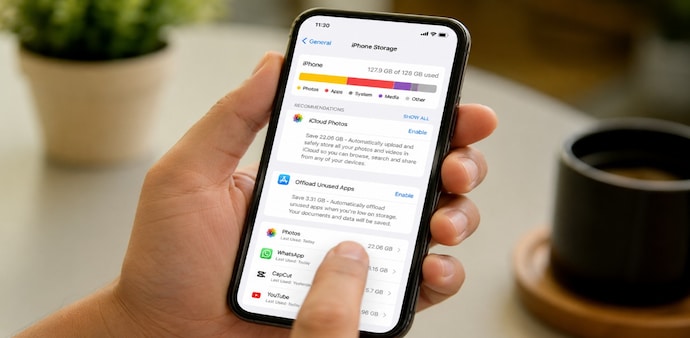
Photos and videos remain the biggest individual storage drain, but you do not necessarily have to delete your memories. On iPhone, go to Settings > Apps > Photos and enable Optimise Storage. Android users can open Google Photos, tap their profile icon and select Free Up Space. These options move original files to cloud storage while keeping lighter versions accessible on the phone.
Must Read: Struggling with Gmail storage? These tricks could save you gigabytes; step-by-step guide
Cache is another major source of hidden clutter. Apps such as TikTok, Instagram and web browsers can accumulate temporary files over time. On Android, you can clear an app's cache through Settings > Apps > Storage > Clear Cache. On iPhone, some apps offer a built-in option to clear cached data, while others may require deleting and reinstalling the app. Safari users can go to Settings > Safari > Clear History and Website Data.
Check downloads and old games too
The remaining storage problems come from forgotten downloads and abandoned games. Offline media accounted for 9% of the poll, with Netflix, Apple Podcasts and Spotify among the services that can store files locally. Check their download sections and remove content you no longer need. Netflix's Smart Downloads can also automatically remove watched episodes.
Old mobile games accounted for another 8%. Some games occupy 2GB to 5GB each, so deleting titles you have not played for months can quickly free space. Your progress can remain linked to your cloud account, allowing you to reinstall later and continue where you left off.
For Unparalleled coverage of India's Businesses and Economy – Subscribe to Business Today Magazine
If your phone keeps warning that storage is almost full, the problem may not be as complicated as it appears. Many users respond by deleting photos, removing apps or considering a phone with more storage, but those moves may not address where the space is going.
Must Read: Out of Google Photos storage? Simple ways to free space without losing your memories
A Tom’s Guide reader poll offers a closer look at the habits and hidden files that quietly consume capacity over time. The findings point to a combination of personal media and background app activity, while downloads and games add to the pressure. Before you start deleting everything, there are simpler ways to reclaim space.
Photos and app cache are the biggest culprits
According to Tom’s Guide reader poll, 42% of respondents blamed their storage problems on large collections of photos, while 41% pointed to hidden app cache building up in the background. Together, the two account for 83% of the responses.
Photos and videos remain the biggest individual storage drain, but you do not necessarily have to delete your memories. On iPhone, go to Settings > Apps > Photos and enable Optimise Storage. Android users can open Google Photos, tap their profile icon and select Free Up Space. These options move original files to cloud storage while keeping lighter versions accessible on the phone.
Must Read: Struggling with Gmail storage? These tricks could save you gigabytes; step-by-step guide
Cache is another major source of hidden clutter. Apps such as TikTok, Instagram and web browsers can accumulate temporary files over time. On Android, you can clear an app's cache through Settings > Apps > Storage > Clear Cache. On iPhone, some apps offer a built-in option to clear cached data, while others may require deleting and reinstalling the app. Safari users can go to Settings > Safari > Clear History and Website Data.
Check downloads and old games too
The remaining storage problems come from forgotten downloads and abandoned games. Offline media accounted for 9% of the poll, with Netflix, Apple Podcasts and Spotify among the services that can store files locally. Check their download sections and remove content you no longer need. Netflix's Smart Downloads can also automatically remove watched episodes.
Old mobile games accounted for another 8%. Some games occupy 2GB to 5GB each, so deleting titles you have not played for months can quickly free space. Your progress can remain linked to your cloud account, allowing you to reinstall later and continue where you left off.
For Unparalleled coverage of India's Businesses and Economy – Subscribe to Business Today Magazine