
Your iPad can now be your main WhatsApp device; Here's how
WhatsApp is gradually enabling iPad users to register the app directly on the tablet as a primary device. The change removes key companion mode restrictions while keeping linked-device support available.
- Jul 6, 2026,
- Updated Jul 6, 2026 4:18 PM IST
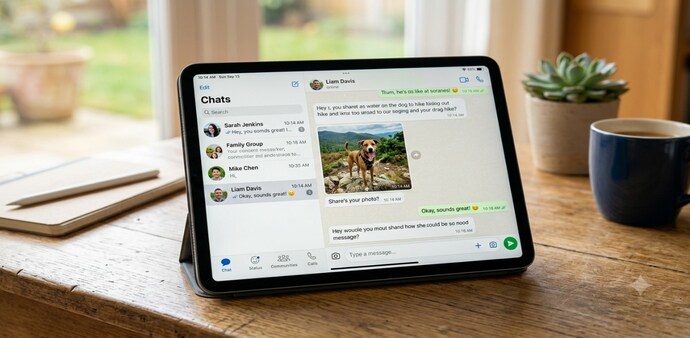
WhatsApp is said to roll out an update for iPad users that lets them register their account directly on the device. So far, WhatsApp on iPad has worked only in companion mode, which required users to link the tablet to an iPhone or Android phone by scanning a QR code.
According to WABetaInfo, the change is being introduced gradually with WhatsApp for iPadOS version 26.25.74. With this update, the iPad can work as a primary device for some users instead of only as a companion to a phone.
How companion mode worked
Companion mode has until now been the only way to use WhatsApp on an iPad. While it worked for most users, it came with some limitations. Users could not share live location, create or view broadcast lists, or communicate with businesses using Flows.
There was also a device access limit linked to the main phone. If users did not open WhatsApp on their primary phone for 14 consecutive days, the app automatically logged out all linked devices, including the iPad.
What changes with primary device support
With the new support, setting up WhatsApp on an iPad as a primary device is similar to setting it up on a phone. Users need to enter their country code and phone number and then wait for a six-digit verification code. Those who have already set up a passkey for their WhatsApp account can use that instead.
Once the iPad is set up as the primary device, the restrictions of companion mode no longer apply. Users can share live location, access broadcast lists, and will not be logged out after two weeks of inactivity on a phone.
Companion mode remains available
WhatsApp is not removing companion mode. Users who want to keep their phone as the main device can continue to do so, and use the iPad as a secondary devic. When setting up WhatsApp on an iPad for the first time, users will be given two option to choose from.
Users who already have their iPad linked as a companion device do not need to make any changes. The report said the feature is available to some users for now and is expected to reach more accounts in the coming weeks.
The update changes how WhatsApp can be used on the iPad by giving some users the option to make the tablet their primary device while continuing to support companion mode for others.
For Unparalleled coverage of India's Businesses and Economy – Subscribe to Business Today Magazine
WhatsApp is said to roll out an update for iPad users that lets them register their account directly on the device. So far, WhatsApp on iPad has worked only in companion mode, which required users to link the tablet to an iPhone or Android phone by scanning a QR code.
According to WABetaInfo, the change is being introduced gradually with WhatsApp for iPadOS version 26.25.74. With this update, the iPad can work as a primary device for some users instead of only as a companion to a phone.
How companion mode worked
Companion mode has until now been the only way to use WhatsApp on an iPad. While it worked for most users, it came with some limitations. Users could not share live location, create or view broadcast lists, or communicate with businesses using Flows.
There was also a device access limit linked to the main phone. If users did not open WhatsApp on their primary phone for 14 consecutive days, the app automatically logged out all linked devices, including the iPad.
What changes with primary device support
With the new support, setting up WhatsApp on an iPad as a primary device is similar to setting it up on a phone. Users need to enter their country code and phone number and then wait for a six-digit verification code. Those who have already set up a passkey for their WhatsApp account can use that instead.
Once the iPad is set up as the primary device, the restrictions of companion mode no longer apply. Users can share live location, access broadcast lists, and will not be logged out after two weeks of inactivity on a phone.
Companion mode remains available
WhatsApp is not removing companion mode. Users who want to keep their phone as the main device can continue to do so, and use the iPad as a secondary devic. When setting up WhatsApp on an iPad for the first time, users will be given two option to choose from.
Users who already have their iPad linked as a companion device do not need to make any changes. The report said the feature is available to some users for now and is expected to reach more accounts in the coming weeks.
The update changes how WhatsApp can be used on the iPad by giving some users the option to make the tablet their primary device while continuing to support companion mode for others.
For Unparalleled coverage of India's Businesses and Economy – Subscribe to Business Today Magazine