
Apple rolls out iOS 27.2 update: Smarter Siri AI, new Messages features and more
Apple’s latest iPhone software update builds on its existing AI features, adding conversation memory, broader access to personal context and practical changes across several everyday apps.
- Oct 27, 2026,
- Updated Oct 27, 2026 11:24 AM IST
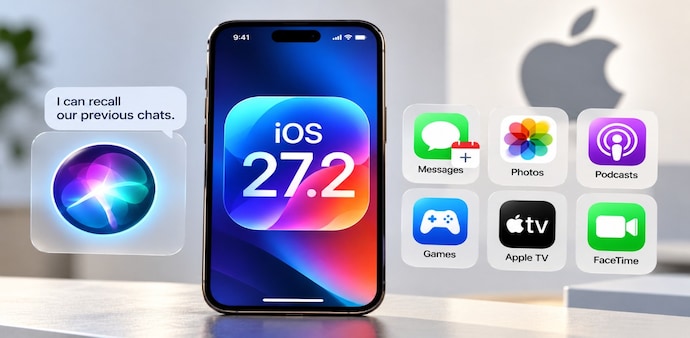
Apple has released iOS 27.2 for iPhone users, improving Siri AI and adding new ways to act on information shared in conversations. The update builds on the AI features introduced with iOS 27, rather than replacing the existing Siri experience entirely. You can now ask Siri about details from previous interactions, while the assistant can draw information from additional sources, including photos attached to Messages, Calendar event attendees and voicemails.
Apple also added a setting to control which apps Siri can access, along with changes to Photos, Podcasts, Games, Apple TV and FaceTime. The release includes bug fixes and security updates, though feature availability depends on the iPhone model and region.
MUST READ | Meta brings long-form videos to Instagram: Should YouTube be worried?
iOS 27.2 brings new Siri AI and Messages features
The biggest change is Siri AI’s ability to retain useful context from earlier conversations. For instance, you can ask about a restaurant Siri recommended previously instead of repeating the original request. The assistant can also use information from Safari history and Reading List to provide more relevant responses.
Apple introduced an Excluded Apps setting that lets you choose which apps Siri, Search and Suggestions can access. You can also select and copy only a specific portion of a Siri response. Siri AI now supports French, Japanese, Korean, Portuguese and Spanish, but remains unavailable in the European Union and mainland China. These AI features require an iPhone 16 model or later or an iPhone 15 Pro or iPhone 15 Pro Max.
DON'T MISS | Apple unveils iPad mini with OLED display, A20 Pro chip and IP67 rating: All details
Messages also gets contextual suggestions, such as creating a Calendar invitation from a dinner plan discussed in a conversation.
Photos, Podcasts, Games and FaceTime get updates
The Photos app now lets participants edit captions and comments in Shared Albums, avoid duplicate photo uploads and receive reminders before albums expire. Support for SynthID watermarking also helps identify images generated or modified using generative tools in Photos and Image Playground.
In Podcasts, the Home tab separates New Episodes from Continue Playing. The Games app adds context to friend suggestions and displays recently played games on friends’ player pages. Meanwhile, Simple Profiles in Apple TV lets household members receive personalised recommendations.
FaceTime now supports adding a third-party sign language interpreter or live captioner to a call. Apple says some features may not be available on every iPhone or in every region. You can check for the update in Settings > General> Software Update.
For Unparalleled coverage of India's Businesses and Economy – Subscribe to Business Today Magazine
Apple has released iOS 27.2 for iPhone users, improving Siri AI and adding new ways to act on information shared in conversations. The update builds on the AI features introduced with iOS 27, rather than replacing the existing Siri experience entirely. You can now ask Siri about details from previous interactions, while the assistant can draw information from additional sources, including photos attached to Messages, Calendar event attendees and voicemails.
Apple also added a setting to control which apps Siri can access, along with changes to Photos, Podcasts, Games, Apple TV and FaceTime. The release includes bug fixes and security updates, though feature availability depends on the iPhone model and region.
MUST READ | Meta brings long-form videos to Instagram: Should YouTube be worried?
iOS 27.2 brings new Siri AI and Messages features
The biggest change is Siri AI’s ability to retain useful context from earlier conversations. For instance, you can ask about a restaurant Siri recommended previously instead of repeating the original request. The assistant can also use information from Safari history and Reading List to provide more relevant responses.
Apple introduced an Excluded Apps setting that lets you choose which apps Siri, Search and Suggestions can access. You can also select and copy only a specific portion of a Siri response. Siri AI now supports French, Japanese, Korean, Portuguese and Spanish, but remains unavailable in the European Union and mainland China. These AI features require an iPhone 16 model or later or an iPhone 15 Pro or iPhone 15 Pro Max.
DON'T MISS | Apple unveils iPad mini with OLED display, A20 Pro chip and IP67 rating: All details
Messages also gets contextual suggestions, such as creating a Calendar invitation from a dinner plan discussed in a conversation.
Photos, Podcasts, Games and FaceTime get updates
The Photos app now lets participants edit captions and comments in Shared Albums, avoid duplicate photo uploads and receive reminders before albums expire. Support for SynthID watermarking also helps identify images generated or modified using generative tools in Photos and Image Playground.
In Podcasts, the Home tab separates New Episodes from Continue Playing. The Games app adds context to friend suggestions and displays recently played games on friends’ player pages. Meanwhile, Simple Profiles in Apple TV lets household members receive personalised recommendations.
FaceTime now supports adding a third-party sign language interpreter or live captioner to a call. Apple says some features may not be available on every iPhone or in every region. You can check for the update in Settings > General> Software Update.
For Unparalleled coverage of India's Businesses and Economy – Subscribe to Business Today Magazine