
Is macOS 27 update taking up space on your Mac? Check for these hidden AI files
A storage spike after the latest macOS update may not be caused by your apps or files, with Apple Intelligence models quietly using additional space on your Mac.
- Sep 22, 2026,
- Updated Sep 22, 2026 3:50 PM IST
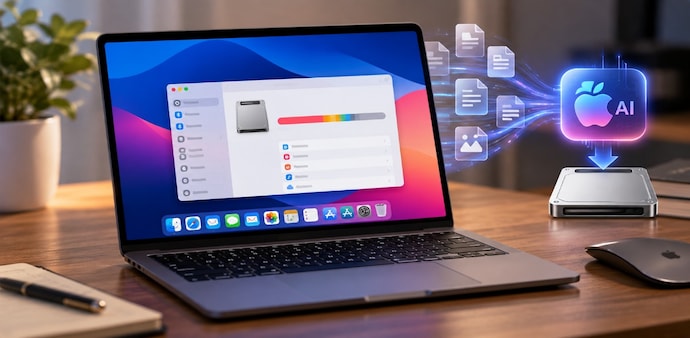
If you have recently updated your Mac to macOS 27 and noticed your available storage drop, Apple Intelligence could be one reason. Some Mac users on Reddit and Hacker News have reported finding several gigabytes of AI-related files on their devices, with some claiming the files take up around 10GB or more. That could make a noticeable difference on a Mac with 256GB of storage.
Apple Intelligence does not work entirely through the cloud. Some features rely on AI models stored directly on the Mac, which means they need space on your SSD. If you don't regularly use Apple’s AI features, those files could unexpectedly take up storage.
Why Apple Intelligence is using your storage
Apple uses on-device AI for some Apple Intelligence features, partly because processing tasks directly on compatible devices can offer privacy benefits. The latest Apple Intelligence setup includes AFM 3 Core, a 3-billion-parameter on-device model, as well as the more powerful multimodal AFM 3 Core Advanced. Some tasks that require more processing can use Apple’s Private Cloud Compute instead.
Must Read: iPhone 18 Pro users have a new problem: Face ID fails, phones reboot unexpectedly
The problem is that macOS manages these AI resources as system assets, so they may not appear as a separate Apple Intelligence category. Instead, you could simply see System Data taking up more space.
To check your storage, go to the Apple menu > System Settings > General > Storage, and let macOS calculate the breakdown.
You can turn off Apple Intelligence
If you don't use Apple Intelligence, Tom’s Guide suggests turning it off in System Settings > Apple Intelligence & Siri > Apple Intelligence > Off. You can also disable Siri AI from the same menu. However, turning it off does not mean the downloaded models will disappear immediately.
The report also warns against manually deleting AI files from macOS system folders. Such files are system-managed, and removing them could cause problems or lead macOS to download them again. If storage is still missing, Time Machine local snapshots are another thing to check through Disk Utility.
For Unparalleled coverage of India's Businesses and Economy – Subscribe to Business Today Magazine
If you have recently updated your Mac to macOS 27 and noticed your available storage drop, Apple Intelligence could be one reason. Some Mac users on Reddit and Hacker News have reported finding several gigabytes of AI-related files on their devices, with some claiming the files take up around 10GB or more. That could make a noticeable difference on a Mac with 256GB of storage.
Apple Intelligence does not work entirely through the cloud. Some features rely on AI models stored directly on the Mac, which means they need space on your SSD. If you don't regularly use Apple’s AI features, those files could unexpectedly take up storage.
Why Apple Intelligence is using your storage
Apple uses on-device AI for some Apple Intelligence features, partly because processing tasks directly on compatible devices can offer privacy benefits. The latest Apple Intelligence setup includes AFM 3 Core, a 3-billion-parameter on-device model, as well as the more powerful multimodal AFM 3 Core Advanced. Some tasks that require more processing can use Apple’s Private Cloud Compute instead.
Must Read: iPhone 18 Pro users have a new problem: Face ID fails, phones reboot unexpectedly
The problem is that macOS manages these AI resources as system assets, so they may not appear as a separate Apple Intelligence category. Instead, you could simply see System Data taking up more space.
To check your storage, go to the Apple menu > System Settings > General > Storage, and let macOS calculate the breakdown.
You can turn off Apple Intelligence
If you don't use Apple Intelligence, Tom’s Guide suggests turning it off in System Settings > Apple Intelligence & Siri > Apple Intelligence > Off. You can also disable Siri AI from the same menu. However, turning it off does not mean the downloaded models will disappear immediately.
The report also warns against manually deleting AI files from macOS system folders. Such files are system-managed, and removing them could cause problems or lead macOS to download them again. If storage is still missing, Time Machine local snapshots are another thing to check through Disk Utility.
For Unparalleled coverage of India's Businesses and Economy – Subscribe to Business Today Magazine