
Mac storage running low? This open-source tool can free up to 12GB of space
A new open-source tool gives Mac users another option to recover storage by removing locally stored AI models, but there is a catch - several Apple features will stop working.
- Oct 6, 2026,
- Updated Oct 6, 2026 11:40 AM IST
Apple has made it harder for Mac users to completely switch off Apple Intelligence in macOS 27. While you can turn off individual AI features, that does not necessarily remove the models already downloaded to the Mac. This could be a concern for people using Macs with limited storage, especially 256GB models where every gigabyte can make a difference.
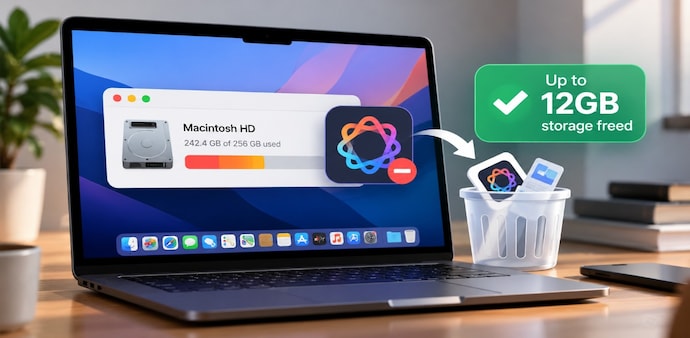
Now, an open-source command-line utility called RemoveMacAI is offering a way to remove those locally stored models and potentially recover around 12GB of storage. According to MacRumors, the tool is designed not only to delete the models but also to prevent macOS from downloading them again.
How the tool works
RemoveMacAI uses a configuration profile to stop Apple's asset management service from downloading the AI models. It then removes the models already stored on the Mac. The utility also redirects future download attempts to a closed local port, which prevents the files from being downloaded again.
The process does not require you to disable System Integrity Protection (SIP) or manually remove files from protected system locations. The amount of storage recovered can vary depending on which models are installed, with some users reporting that they reclaimed more than 12GB, MacRumors reports.
Removing the models comes with trade-offs
There is an important catch. Removing the models means giving up several Apple Intelligence-powered features, including AI capabilities in Siri, Writing Tools, Genmoji, Image Playground, ChatGPT integration, summaries, smart replies, inline predictions, Photos Clean Up, Spatial Photos and Xcode predictive completion. Dictation will continue to work.
The tool has attracted hundreds of GitHub stars since its release last week and has also sparked discussions on Reddit and Hacker News. However, MacRumors does not recommend the utility, and users should proceed at their own risk.
The report also notes that Apple deprecated the configuration-profile keys the tool uses in macOS 26.4. They still work in macOS 27.0.1, but Apple could disable them in a future update. A revert command is available to restore the previous setup.
For Unparalleled coverage of India's Businesses and Economy – Subscribe to Business Today Magazine
Apple has made it harder for Mac users to completely switch off Apple Intelligence in macOS 27. While you can turn off individual AI features, that does not necessarily remove the models already downloaded to the Mac. This could be a concern for people using Macs with limited storage, especially 256GB models where every gigabyte can make a difference.
Now, an open-source command-line utility called RemoveMacAI is offering a way to remove those locally stored models and potentially recover around 12GB of storage. According to MacRumors, the tool is designed not only to delete the models but also to prevent macOS from downloading them again.
How the tool works
RemoveMacAI uses a configuration profile to stop Apple's asset management service from downloading the AI models. It then removes the models already stored on the Mac. The utility also redirects future download attempts to a closed local port, which prevents the files from being downloaded again.
The process does not require you to disable System Integrity Protection (SIP) or manually remove files from protected system locations. The amount of storage recovered can vary depending on which models are installed, with some users reporting that they reclaimed more than 12GB, MacRumors reports.
Removing the models comes with trade-offs
There is an important catch. Removing the models means giving up several Apple Intelligence-powered features, including AI capabilities in Siri, Writing Tools, Genmoji, Image Playground, ChatGPT integration, summaries, smart replies, inline predictions, Photos Clean Up, Spatial Photos and Xcode predictive completion. Dictation will continue to work.
The tool has attracted hundreds of GitHub stars since its release last week and has also sparked discussions on Reddit and Hacker News. However, MacRumors does not recommend the utility, and users should proceed at their own risk.
The report also notes that Apple deprecated the configuration-profile keys the tool uses in macOS 26.4. They still work in macOS 27.0.1, but Apple could disable them in a future update. A revert command is available to restore the previous setup.
For Unparalleled coverage of India's Businesses and Economy – Subscribe to Business Today Magazine