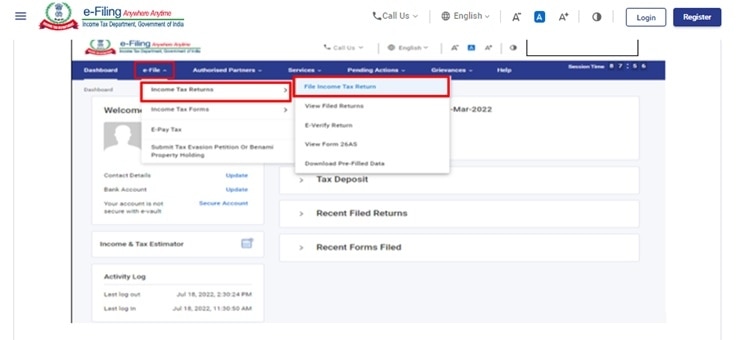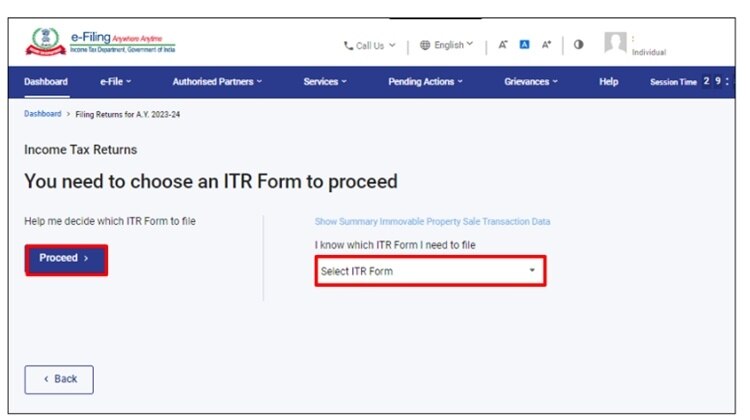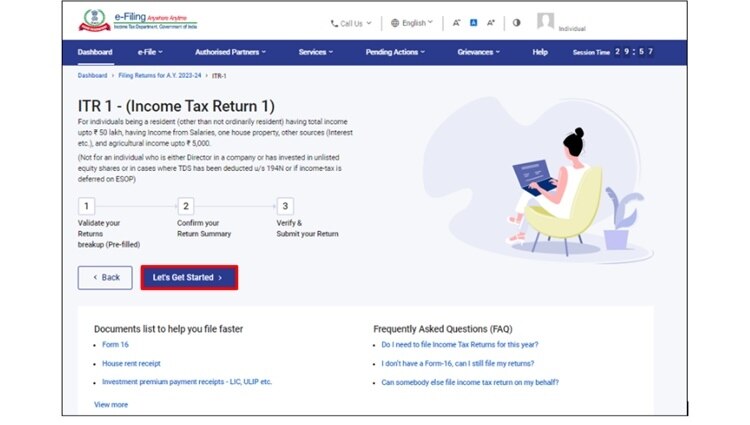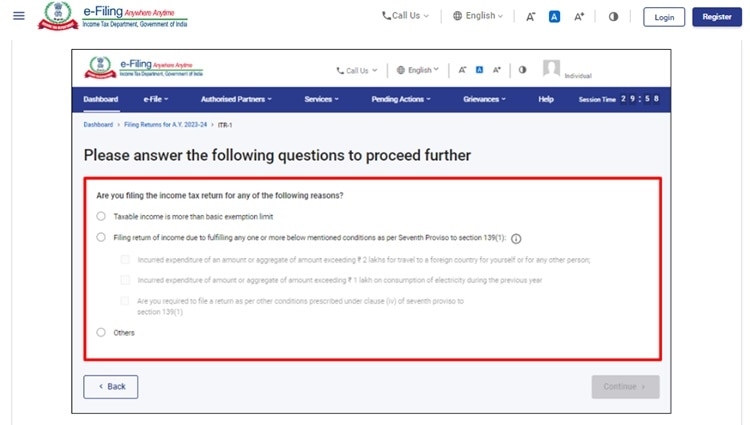



 Employers are required to issue Form 16 to employees by June 15, 2023, for the financial year 2022-23.
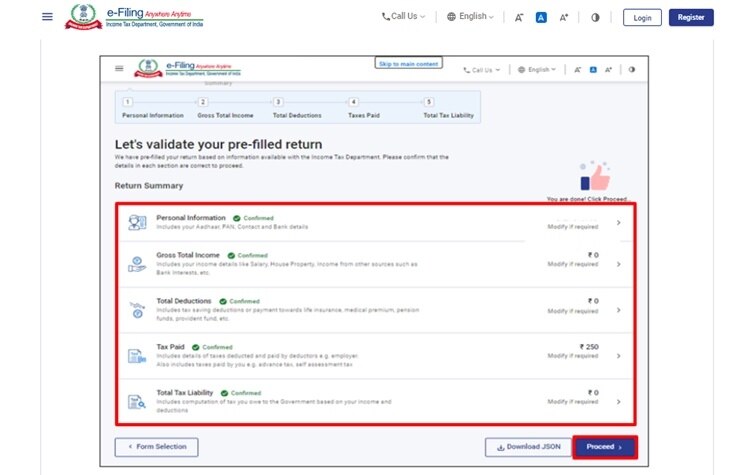
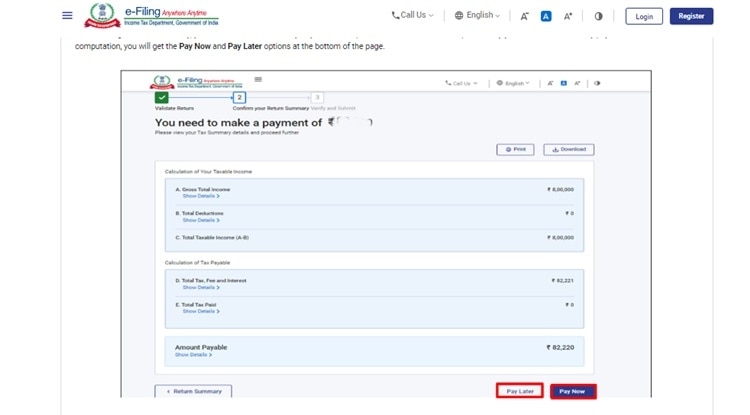
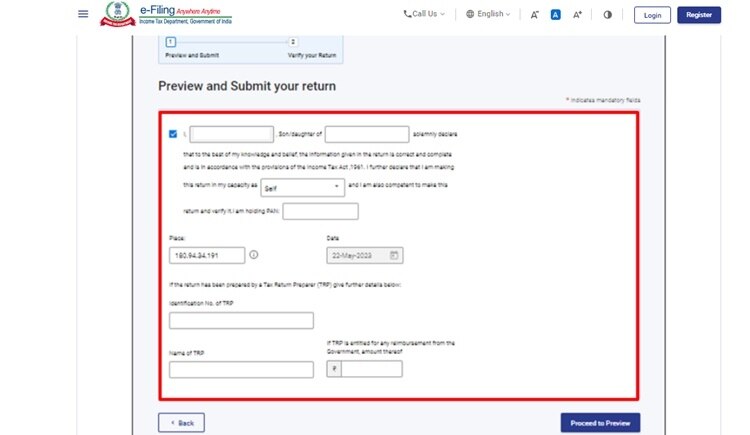
Salaried employees can soon get their Form 16 from their employer to file their Income Tax Returns (ITR) for assessment year (AY) 2023-24. To make the tax filing process more manageable, the I-T department pre-fills ITR forms with details of income and taxes paid by the assessee during the year. However, taxpayers should remain cautious while using pre-filled ITR forms and consider filing only after verifying all information present in the forms before submitting it or assessment.
Thus, even though the tax filing season has officially started, one should wait for Form 16 from their employer. Mostly salaried individuals are eligible to fill in ITR-1 (Sahaj). This form applies to taxpayers with income no more than Rs 50 lakh for the financial year.

 BT Infra Summit 2026: What will power India's next growth spurt?
 BT Infra Summit 2026: How Sagarmala 2.0 is going to steer India's maritime growth
 Why Bloomberg isn't ready to add Indian bonds yet despite sweeping market reforms
 BT Infra Summit 2026: India's energy security needs a new playbook as clean power, storage and grid modernisation take centre stage
 ITR filing 2026: WazirX launches free crypto tax reporting platform ahead of ITR deadline
 Data Centres, Space & A Stable Rupee: India's Blueprint For The Next Growth Cycle
 Red Sea Crisis: How Global Shipping Lines Are Navigating Another Major Disruption
 Why EV Trucks Are Still Missing From India's Highways | BT Infrastructure Summit 2026
 #BTInfrastructureSummit: Powering India's New Growth Spurt With Infra, Investment & Innovation
 Why Indians Feel Foreign Infrastructure Is Better: Hitachi India CEO Breaks It Down
 Maruti Suzuki Q1 results: Profit slips 9% YoY to Rs 3,447 crore; revenue climbs 36%
 ITC Q1 results: Profit slips 16% to Rs 4,394 crore YoY; revenue climbs 28%
 BTTV Exclusive: M&M CEO Rajesh Jejurikar on Q1 earnings, business outlook, order book and more
  Nifty IT stocks rebound in July as semiconductor shares falter; reverse AI trade at play?
 Dixon Technologies Q1 earnings: Net profit at Rs 718 crore, revenue rises 21%
 Can AI Create Wealth For Everyone? DSCI CEO Explains The FutureData Centres, Space & A Stable Rupee: India's Blueprint For The Next Growth CycleRed Sea Crisis: How Global Shipping Lines Are Navigating Another Major DisruptionWhy EV Trucks Are Still Missing From India's Highways | BT Infrastructure Summit 2026#BTInfrastructureSummit: Powering India's New Growth Spurt With Infra, Investment & Innovation