


 Canva
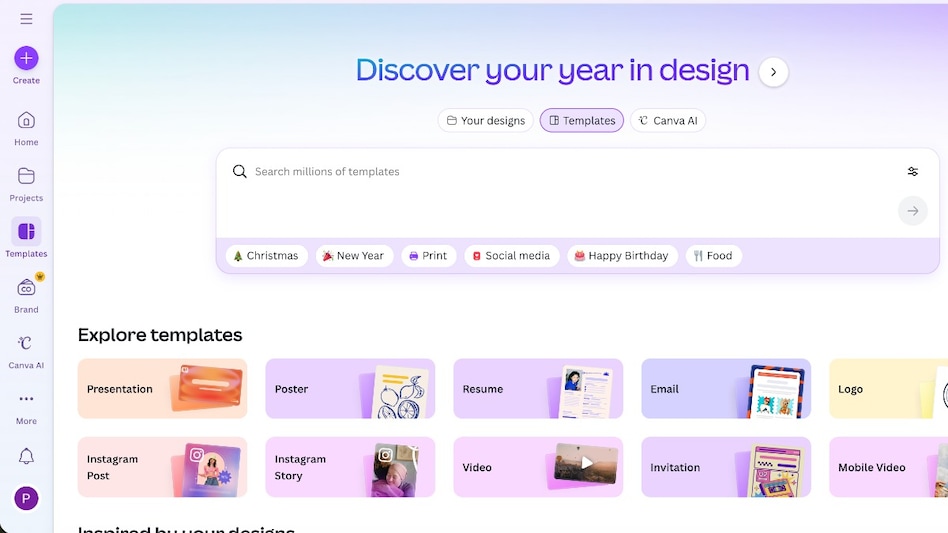
CanvaFor a long time, graphic design software lived behind velvet ropes. You either learned it properly or you stayed out. Canva blew that gate wide open, and with its latest evolution, it is no longer just a friendly design app for social posts. It is an all-in-one visual communication operating system that sits somewhere between productivity software, creative studio, and collaboration tool.
I have used Canva on and off for years, mostly as a quick fix. A thumbnail here, a presentation slide there. Spending extended time with the paid version recently, especially with its newer AI features and collaborative tools, made one thing clear. Canva is no longer pretending to be a lightweight alternative. It is building a serious platform for how individuals, teams, and businesses think visually.

 TCS to acquire Porsche’s IT consulting arm MHP for €320 million, signs five-year strategic deal
 Tata Sons board likely to meet on September 17, Chandrasekaran exit may take center stage
 'Our trade is growing again, thanks to PM Modi': Putin tells EAM Jaishankar
 Trade war escalates: Trump announces 50% tariffs on Canadian autos & steel from Jan 1
 Saudi attacked by Houthis, Turkey targeted by Israel: So what is the Mecca Pact doing?
 Market Masters | Aniruddha Sarkar On Top Sectors, Market Outlook & Where To Invest
 Daily Calls: Ask Your STOCK MARKET TODAY QUERIES | Market Update | Share Market News Today
 All About Debt Funds: Types Of Debt Funds & How To Invest | Mutual Fund Guide | Money Today
 “India Can Attract Global Space Talent Like A Magnet”: PM Modi To Startup CEOs
 CM Yogi Responds To Rahul Gandhi Over Manusmriti Remarks, India's Youth, And Heritage
 Tempsens Instruments IPO: Issue subscribed over 184 times on final day; check latest GMP
 Cupid's Aditya Kumar Halwasiya ups stake to 33.53%; buys 11 lakh shares
 Auto, auto ancillary stocks: Is it time to book profits? What Centrum's Nilesh Jain says
 This mid-cap metal stock zooms 15% on Rs 2,700 crore order announcement; do you own?
 RVNL shares a buy? Accumulate railway stock as valuations cool, says Kranthi BathiniTrade war escalates: Trump announces 50% tariffs on Canadian autos & steel from Jan 1
 NEET-PG 2026: Admit cards to be released on Tuesday, August 25TCS to acquire Porsche’s IT consulting arm MHP for €320 million, signs five-year strategic deal'Our trade is growing again, thanks to PM Modi': Putin tells EAM JaishankarTata Sons board likely to meet on September 17, Chandrasekaran exit may take center stage












