


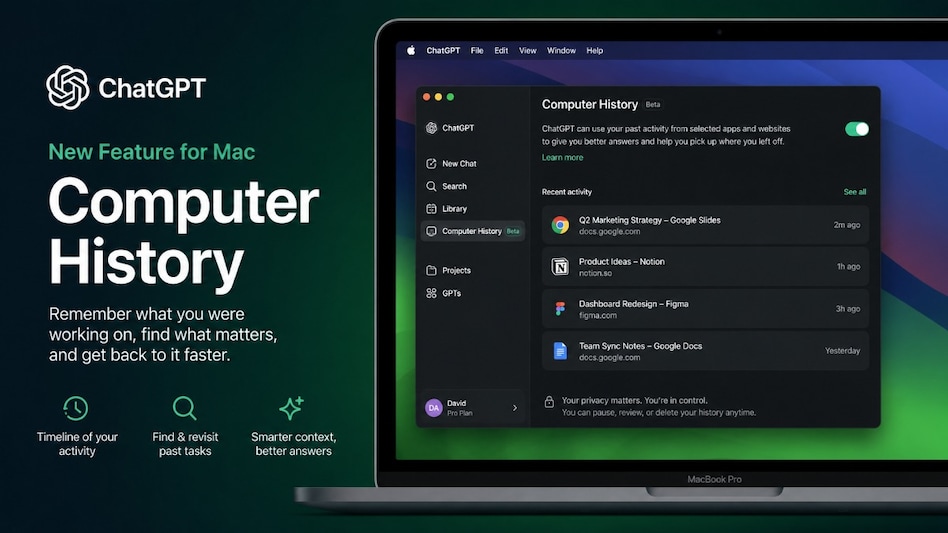
 ChatGPT’s Computer History feature lets Mac users revisit activity from selected apps and websites.
OpenAI has introduced Computer History for the ChatGPT desktop app on Mac. With this feature, you can decide which apps and websites contribute to your history. You can also pause collection, review what has been recorded or delete individual entries and your entire history.
OpenAI has released Computer History as an opt-in feature. This means it will be disabled by default, so your computer activity is not tracked unless you choose to enable it.

 RBI's forex swap scheme pulls in record $143.6 billion till Sep 18
  Bank strike next week: Five-day disruption may hit your salary credits
 NSE IPO subscribed 5.7 times as QIBs lead demand; shares to list on BSE on September 24
 Indian Oil, HPCL, BPCL shares rise as brent crude prices fall for fourth day
  Tata Sons power struggle: Who will pay for the next legal battle?
 Burqa Ban In Italy? Meloni Pushes New Rules On Face Coverings
 Tata Trusts-Tata Sons Row: Harish Salve Explains RBI Rules, Singhvi Flags Shareholder Rights
 Top Legal Eagles Flock To Tata Sons & Tata Trusts As Boardroom Clash Heads To Court
 Over Next Three Years Company Expects To Invest ₹15,000 Cr For Deepwater Exploration
 Tata Sons Listing Row: Shapoor Mistry Backs IPO As Noel Tata Pushes ₹25,000-Crore Plan
 Manipal Health clears ₹5,310 crore debt using IPO proceeds, eyes expansion & technology pushNSE IPO subscribed 5.7 times as QIBs lead demand; shares to list on BSE on September 24
 Brokerage sees 96% upside potential in this smallcap stock
 Dr. Reddy’s, Lupin shares among buzzing stocks as pharma sector back in focus
  3 Warren Buffett quotes for Indian stock market investors today
 Ultraviolette X47: The electric adventure bike with a surprising feature list
 350 kmph B35: India’s bullet train plan now meets Japan’s next-gen E10
 BT Big Story: How the FCNR(B) deluge has created two new problems for the RBI
  Ticket rush ahead of festive season: Railways adds special trains linking Delhi, Katra and Varanasi
 Building collapse in India: Will health insurance cover your hospital bills after an accident?












