


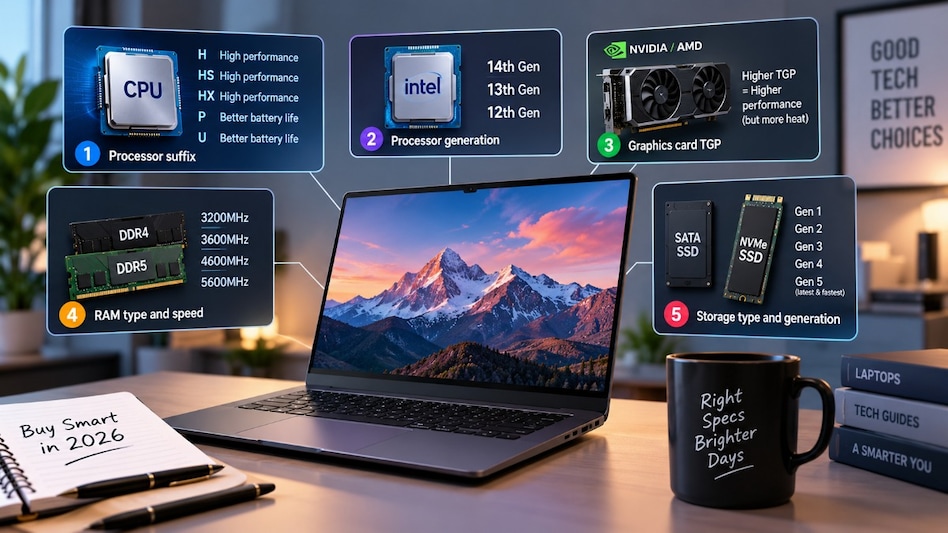
 Check processor, GPU, RAM and SSD specs before buying a laptop in 2026.(Representative image)
Buying a laptop in 2026 requires more than checking whether it has a high-end processor. The processor suffix, generation, graphics card power, RAM type and speed, and storage technology can all affect performance, battery life, and overall experience.
Must Read: Paytm Payment Gateway integrates with ChatGPT to track payments, refunds and sales insights

 Trent shares hit 10% upper circuit post Q2 business update, HSBC sees 32% upside
  BT BIG STORY | Markets in the red: Here's what experts advise investors to do
 Charity Commissioner seeks response from Tata Trusts over Venu Srinivasan, Vijay Singh’s complaints
 Israel was prepared to shoot down Flydubai plane if it continued towards Tel Aviv: Report
 25 bps RBI repo rate hike could add ₹2.45 lakh to home loan interest over 25 years; here's the calculation
 Varmora Granito IPO: How Management Plans To Reduce Morbi Concentration Risk
 Value Buying, Short Covering Pushes Stocks Higher; BSE, ITC Shine
 Future Of MBA: ISB Dean Madan Pillutla On AI, Skills, Careers And Lifelong Learning
 How Amaravati Plans To Become A Quantum Hub
 MBA In The AI Era:IIM Ahmedabad Director On The Changes In Management Education
 KMB, Axis Bank, IndusInd Bank shares gain up to 4%, IDFC First Bank falls 3%; here's why
 SRIT India, Shah Investor's Home make positive D-st debut; both stocks list at premium
 NSE, Groww, BSE, Angel One, MOFSL, Nuvama shares rally after SEBI CAS rollback report
 BSE Q2 profit may fall QoQ, fate depends on CAS regulation outcome, says NuvamaTrent shares hit 10% upper circuit post Q2 business update, HSBC sees 32% upside
  This 1972 computer sold for £37,179 in auction: Why this rare machine matters
 Ola, Uber, Rapido must transition to 100% EV fleets by July 2027 in MaharashtraKMB, Axis Bank, IndusInd Bank shares gain up to 4%, IDFC First Bank falls 3%; here's whySRIT India, Shah Investor's Home make positive D-st debut; both stocks list at premiumNSE, Groww, BSE, Angel One, MOFSL, Nuvama shares rally after SEBI CAS rollback report












