


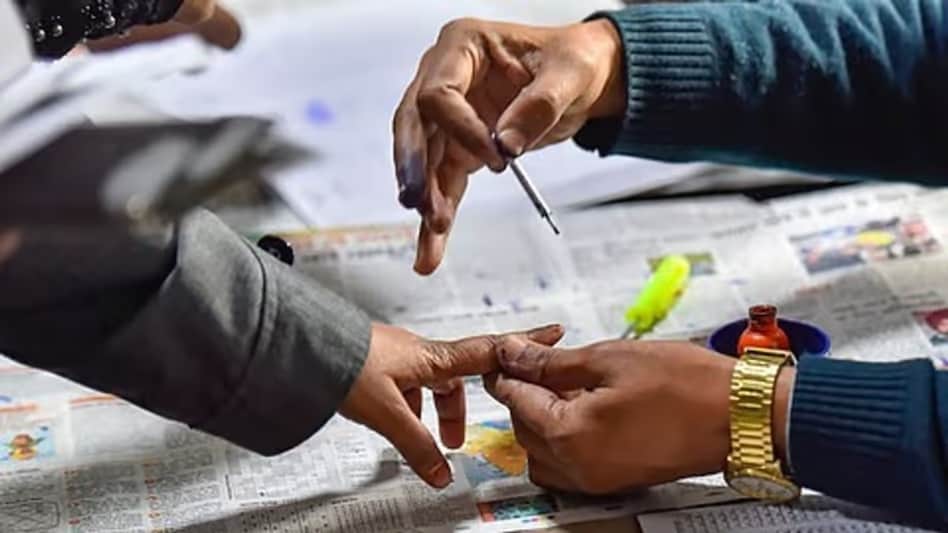
 Your right to vote begins with ensuring your name is on the electoral roll
Your right to vote begins with ensuring your name is on the electoral roll, a message the Election Commission of India (ECI) delivered with a pop culture twist. Through its SVEEP (Systematic Voters' Education and Electoral Participation) initiative, the poll body shared a Spider-Man-themed post on X, reminding citizens that while voting is a powerful democratic right, it also comes with the responsibility of keeping electoral records up to date.
READ THIS: ED registers 4,622 PMLA cases in five years; secures convictions in 43
 BSE to replace Wipro in Nifty 50 index from September 30: All you need to know
  Meta, MeitY get NHRC notice over anti-Modi political content featuring children on Instagram
 Small savings rates for Q3 FY27: Will the government hike interest rates for the October-December quarter?
 ‘Standoff doesn’t help, third parties will take advantage’: Jaishankar on India-China ties
 BT BIG STORY: Why crypto is still thriving among Indian investors
 “Major Food Crisis” Ahead? Jaishankar Flags Global Food, Fertiliser And Energy Pressures
 Crude Oil Shock Hits Markets: Why India’s Rupee & Emerging Markets Face Pressure
 Trump Hails Indian Conglomerate Essar’s $18 Billion Iowa Steel Project, Thousands Of Jobs Expected
 Tamil Nadu Rolls Back RTI Exemption After Opposition, Ally Congress Raise Transparency Concerns
 Ujjain Shahi Masjid Demolition Sparks Clashes, Stone-Pelting During Road-Widening Drive
 Cement prices rise by Rs 7 per bag in September; more hikes expected in October: Report
 Augmont shares rise 23% in two days, hit record high; here's why
  Surat-based JB Ecotex files DRHP with SEBI to launch IPO; check key details
  IndusInd Bank shares off day's low; Jefferies sees 37% upside
 Pine Labs (NSE:PINELABS) drops 3%; firm extends partnership with Woolworths Group
 Who is Chirantan 'CJ' Desai, Meta's pick to lead its enterprise AI pushCement prices rise by Rs 7 per bag in September; more hikes expected in October: Report“Major Food Crisis” Ahead? Jaishankar Flags Global Food, Fertiliser And Energy PressuresCrude Oil Shock Hits Markets: Why India’s Rupee & Emerging Markets Face Pressure
 No social media for under 18s? Centre mulls new safeguards after SC raises concern












