For millions of Indian Railways passengers, booking a Tatkal ticket has always been a frustrating race against the clock. IRCTC's new beta website has introduced two major features that are changing the experience — and three secret tricks can make you even faster.
The old system required logging in before the Tatkal window opened — often causing sessions to expire. With the new upgrade, you can browse trains, check seat availability and compare fares directly on the homepage without logging in, then click login only when a confirmed seat appears.

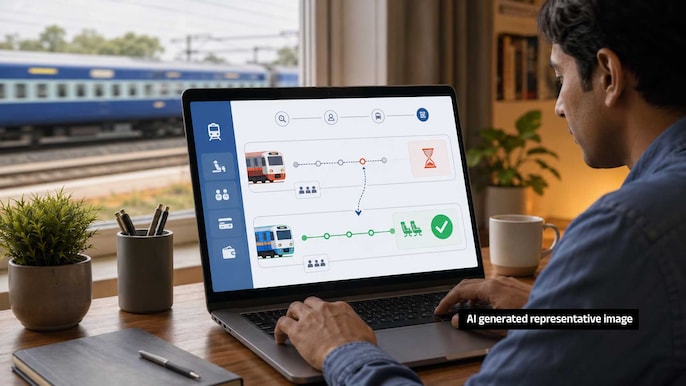
IRCTC's new AI tool analyses past booking trends and data to accurately predict the probability of a waitlisted ticket getting confirmed. Instead of wondering all night, passengers can now instantly decide whether to keep the waitlisted ticket or move to an alternative train.
Secret Tip 1
At least 30 minutes before the Tatkal window opens, go to My Profile, access the Master List and save passenger details including names, ages and ID numbers. During actual booking, simply select names — all details auto-fill without typing, saving crucial seconds.
Secret Tip 2
Net banking, credit cards and UPI often face OTP delays or slow bank servers during peak Tatkal booking. Pre-loading funds into your IRCTC eWallet processes payment in just 2 seconds with no risk of transaction failure — the single fastest payment method available.
Secret Tip 3
The Vikalp option is often overlooked but highly valuable. If your Tatkal waitlisted ticket remains unconfirmed when the chart is prepared, Railways automatically allots you a vacant seat on an alternative train on the same route — a confirmed berth at no extra cost.
 After Vikram-1's Orbital Launch, What's Next For Skyroot?
 Can Andy Burnham Redefine India-UK Relations? New UK PM's Big India Vision Explained
 Delhi Protests Surge: PM Modi Breaks Silence In NEET Paper Leak As Opposition Rallies!
 Trump's 100% Pharma Tariff Plan: How Will Indian Drugmakers Respond To The U.S. Move?
 Sagility Q1 Results: CFO Srinivas Mattapalli On 27.6% Revenue Growth, Margins & Outlook