












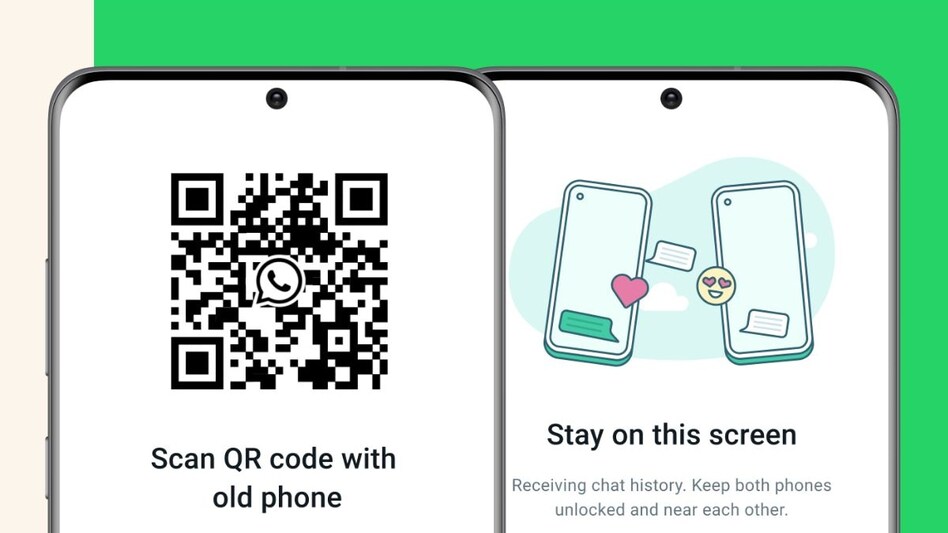
WhatsApp is now making it easier for users to transfer WhatsApp chats, including messages and attachments, from old to new phones. The Meta-owned app recently launched a new Chat Transfer feature which allows users to transfer chats from one phone to another running on the same operating system. The new feature eliminates the dependency on cloud backup services like Google Drive and allows users to easily transfer their entire data with this dedicated in-app feature.
" The new process has the potential to be a lot quicker and easier than the existing cloud-based alternative, which involves backing up a history of your chats to iCloud or Google Drive and then downloading it to a new device. And it handily avoids any cloud storage limits you might run into if your chat and media backup is, for example, larger than the 5GB of free storage included with every iCloud account," said WhatsApp in its official statement.
Announcing the new Chat Transfer feature in WhatsApp, Meta CEO Mark Zuckerberg posted on Facebook and wrote, "If you want to move your WhatsApp chats to a new phone, you can now do it more privately without your chats ever leaving your devices."
Zuckerberg also posted a short video with his post, demonstrating how the new feature works. Notably, WhatsApp's new chat transfer feature allows users to transfer chats between phones with the same operating system. That means you can transfer chats from Android to Android or iPhone to iPhone.
However, for transferring chats from iPhone to Android, there is a separate process.
Here is a quick guide on how to use the new transfer chat feature from WhatsApp:
To start chat transfer, ensure that both your old and new phones are physically with you and connected to Wi-Fi. Also, make sure that location services are enabled on both devices.
On you old phone:
On your new phone:
Assuring user privacy and data security, WhatsApp notes that during the transfer, "More secure than using unofficial third party apps which lack clear privacy practices, and more private than cloud services, the transfer process is authenticated with a QR code, data is only shared between your two devices, and is fully encrypted during transfer."
For Unparalleled coverage of India's Businesses and Economy – Subscribe to Business Today Magazine
 ICICI Prudential Life Insurance Q4 results, dividend announcement today; earnings preview
 'Ultimate decisions rest with...': Pakistan says next round of Iran-US talks coming soon
 Delhi to Dehradun in just 2.5 hours! PM Modi to inaugurate economic corridor today
 Gold, silver prices today (April 14): Rates witness a slight uptick, Check prices in Delhi, Mumbai, Chennai, Kolkata
 Stock market holiday today: NSE, BSE closed for Ambedkar Jayanti 2026 gazetted holiday
 Market Masters With Nilesh Shah On How To Navigate Volatile Market, Build Portfolio & More
 What’s Behind The Tata Group Stock Surge Amid Weak Markets? Tata Sons IPO Buzz Explained
 Iran Envoy Mohammad Fathali Raises Serious War Allegations, Highlights Strait Of Hormuz Importance
 PM Modi Pushes 2029 Deadline For Women’s Empowerment Act, Calls For Unity In Parliament Talks
 IGL's Big PNG Push: 3,000 Connections/Day Target, 4.85 Lakh PNG Connections In 90 Days
 Paytm shares: ‘Best digital…’ – What Haitong said | Price targets, Q4 results previewICICI Prudential Life Insurance Q4 results, dividend announcement today; earnings preview
 Defence stock to ‘Buy’: Share price up 21% in 8 sessions - Check target
 'Buy' Olectra Greentech, Adani Energy Solutions & Sona BLW shares: LKP's analyst; check price targets
 10 consumer stocks see 3-19% target cuts, one raised by BNP Paribas; any guesses?