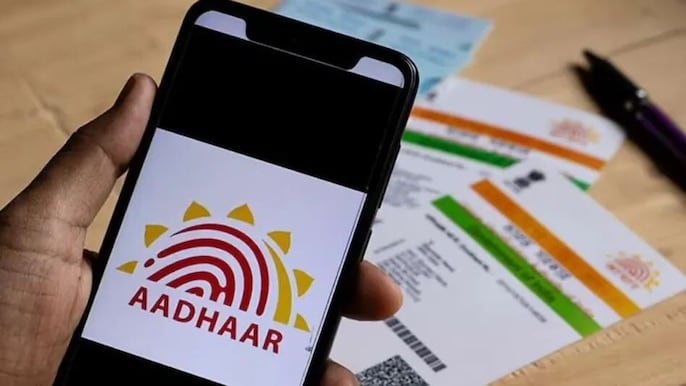
UIDAI has launched a new Aadhaar App for Android and iPhone that allows citizens to update their address and mobile number from home — no more standing in queues at Aadhaar centres or dealing with crowds during rain.

Available on both Android and iOS, the new Aadhaar App brings multiple Aadhaar services to your smartphone in one place. It allows address changes, mobile number updates and other essential information management — designed specifically to eliminate unnecessary visits to Aadhaar centres.
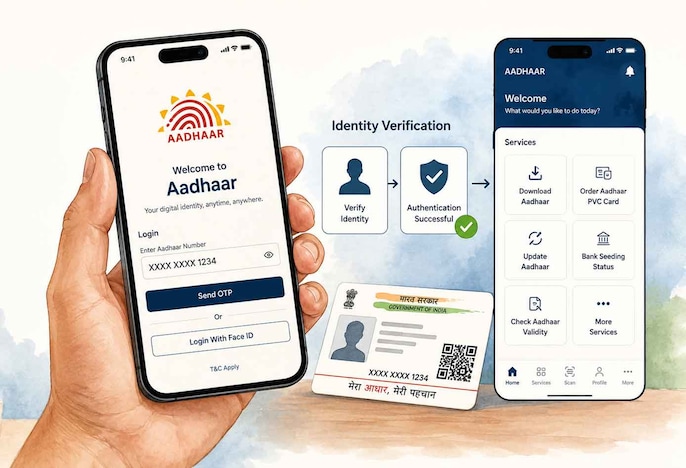
Download and install the new Aadhaar App on your phone. Open the app and log in using your Aadhaar number. You will then need to complete an identity verification step to confirm that the rightful Aadhaar holder is making the changes — after which the home screen with all services will appear.
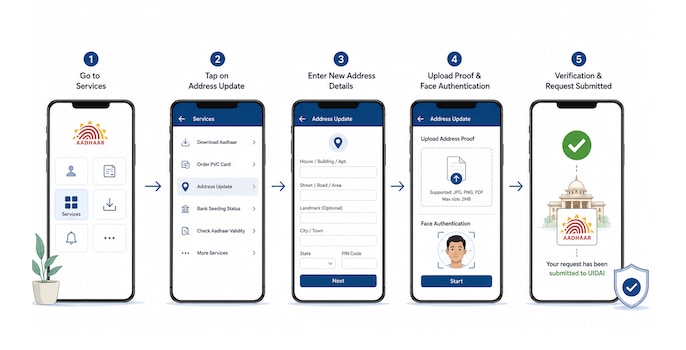
After logging in, go to the Services section and tap on Address Update. Fill in your new address carefully, upload a supporting document as proof of the new address, then complete the face authentication process. Once all details are verified, your request will be submitted to UIDAI automatically.
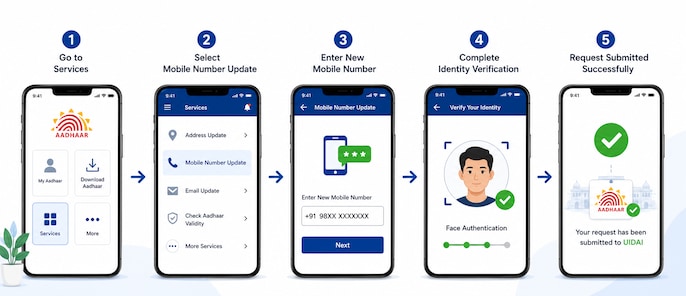
In the same Services section, select Mobile Number Update. Enter your new mobile number and complete all the steps shown in the app. Once identity verification is completed, your request will be submitted. After the update is processed, all Aadhaar OTPs and notifications will be sent to the new number.
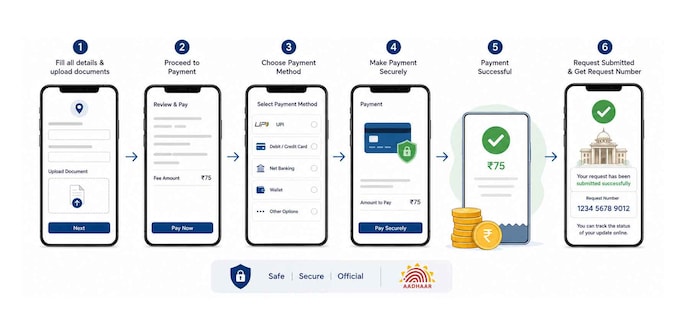
UIDAI charges a fee of ₹75 for updating the address on your Aadhaar card. Payment is made online through the app after filling in all details and uploading documents. Once payment is successful, your application is submitted and you will receive a request number to track the status of your update online.

The new app significantly reduces the need to visit Aadhaar centres for small updates. With the right documents and a mobile phone, you can update your address and mobile number from home in a few easy steps — saving time, avoiding queues and completing the whole process on your phone.
 Market Guru LIVE | George Thomas On Market Outlook, Large Caps, Monsoon & Crude Impact
 Ground Report From Ayodhya: Ram Mandir Donation Theft Row Hits Local Business And Pilgrim Footfall
 India-UK FTA From July 15: Piyush Goyal Says 99% Exports Get Zero Duty, PF Relief For Workers
 Indian I.T. Stocks Outlook: TCS Q1 Earnings, AI Adoption And Next Rally Trigger
 Quantum AMC's Portfolio Strategy: Why It Is Bullish On Banks, Insurance, IT & Export Stocks