


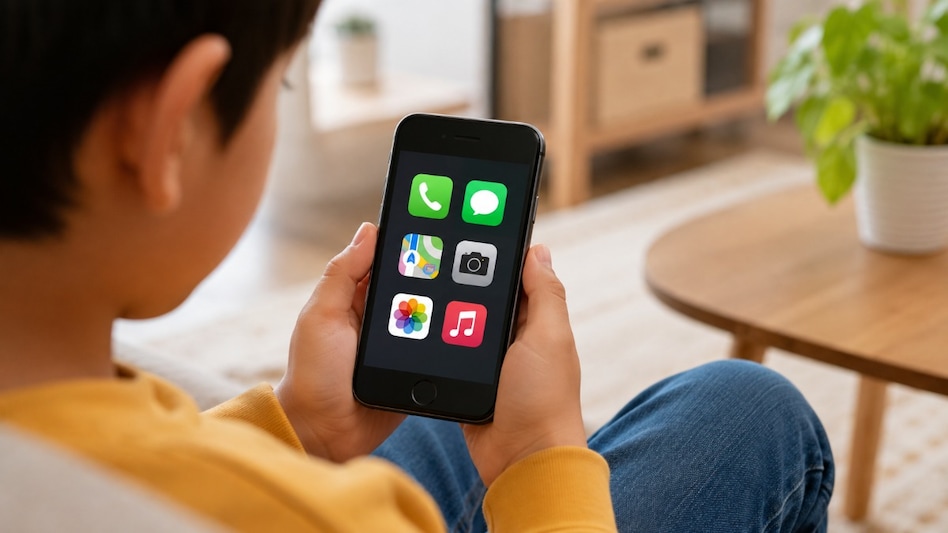
 An old iPhone can become a controlled kids' phone using Apple's Assistive Access.
Giving a child their first phone can be a difficult balance. You may want them to call you, send messages and use maps when they are out alone, but unrestricted access to the internet and social media can be a concern.
Buying a traditional dumb phone solves part of that problem, but it can also remove useful features such as navigation and location tracking. There is, however, a way to repurpose an old iPhone without paying for another app or buying a new device.

 India to face 100% tariffs? US House moves Russia Sanctions bill, final vote tomorrow
 NSE IPO: SEBI decision on CAS acceptable, focus stays on implementation, says Ashishkumar Chauhan
 Paytm, Pine Labs share price targets as MDR charges on UPI above Rs 2,000 introduced
 Brent crude futures fell 93 cents to $107.82 a barrel even amid supply risks: Here’s what’s happening
 Mecca on air alert: Saudi Arabia issues first-ever warning amid Houthi attacks in West Asia
 Crude Oil Price Surge: Will Petrol And Diesel Prices Rise In India?
 Market Commentary: Sharad Avasthi On Nifty, Stocks & The Next Big Move
 RBI Files Caveat In Bombay HC Ahead Of Tata Sons Appeal | Tata Group Stocks | Tata Chemical Shares
 NSE IPO Explained: Price Band, Valuation, Growth Potential And Key Risks
 Stock Market Falls As Crude Oil Nears $110 & Weak Rupee | Stock Market News
 Kalyan Jewellers, PC Jeweller, Thangamayil Jewellery shares slip up to 8% in early deals; here's why
  Hero Motors IPO opens today: Should you subscribe? Check price band, latest GMP, reviews & more
 PNC Infratech shares hit fresh 52-week low, plunge nearly 34% in two days; here's why
 Sonata Software shares gain 4% on five-year pact with Amazon Web Services
  Sensex, Nifty open higher; rate sensitive stocks lead gains
  'We hope he's not acting here': Supreme Court gives Rajpal Yadav 2 weeks' respite in ₹5 crore cheque bounce caseKalyan Jewellers, PC Jeweller, Thangamayil Jewellery shares slip up to 8% in early deals; here's why
  iOS 27 Siri AI is rolling out: A compatible iPhone isn’t enough, here’s how to get access
 ‘The additional revenue will help’: MobiKwik, PhonePe founders back MDR charge on UPI transactions over ₹2000Hero Motors IPO opens today: Should you subscribe? Check price band, latest GMP, reviews & more












