


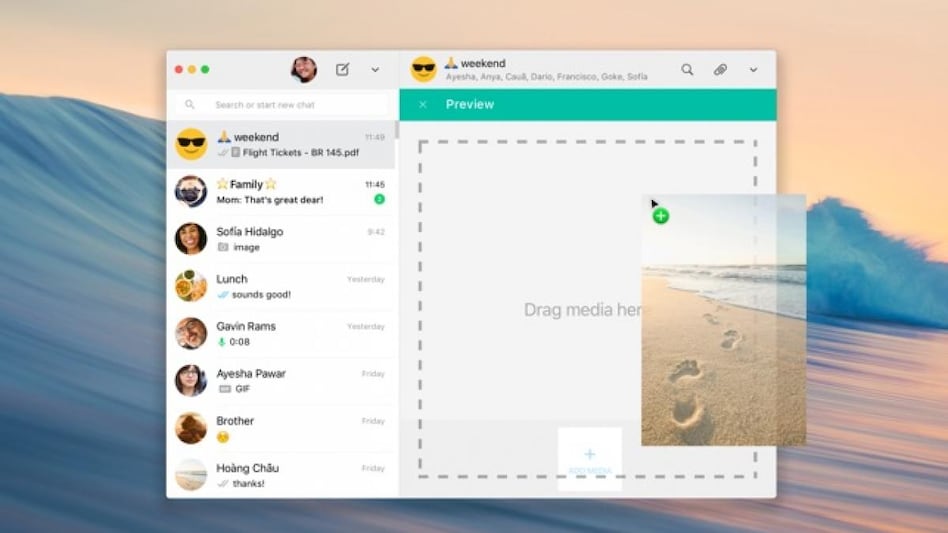
 The app has a few performance improvements that make it much faster than the web version.
Good news for Mac users everywhere. The WhatsApp native Mac app is now available to beta users. This is a step forward for the popular messaging platform, which previously only ran as a web application in Safari or Chrome browsers on Apple’s range of laptops and desktops.
The new native app is available as a public beta on the Mac App Store, so all Mac users can now take advantage of the features that come with the native app. This includes support for notifications, the ability to access conversations from multiple devices, and the convenience of having a dedicated app for WhatsApp.
 Hormuz crisis exposed world's energy weak spots: Why the next shock could hurt more
 'AI ending humanity is nonsense': Ex-Infosys CEO Vishal Sikka rejects growing doom warnings
 Food delivery, quick commerce largely shielded from UPI MDR despite high digital payments
 Could AI really kill us all? Here’s what MIT researchers fear and what they don’t
 New e-commerce rules: How online discounts and search rankings will change
 Gold Price Target 2026: Expert Sees MCX Gold At ₹1.8 Lakh By Year-End Amid Strong Demand
 Health Insurance: Why Pre-Existing Diseases And Waiting Periods Matter For Buyers
 Crude Oil Above $100: How High Energy Prices And Rupee Weakness Impact Gold Prices In India
 CEA On India’s Manufacturing Rise, Atmanirbhar Bharat And Modi’s Economic Policy
 Health Insurance Buying Guide: 7 Things First-Time Buyers Must Check Before Choosing A Policy
 SpaceX weight in Nasdaq 100 to jump to 2.82% following quarterly index rebalance: Report
 Tata Motors or Ashok Leyland? Analyst reveals his preferred auto stock for near-term gains
 Maharashtra Scooters, Dixon Tech, Bharat Dynamics, Jai Corp among stocks to turn ex-dividend on Monday
 Jindal Supreme, SS Retail, Hero Motors IPOs subscribed up to 181 times on final day; details here
 Sensex, Nifty post sixth weekly loss; TCS, Titan among top laggards, slip up to 4%
 ‘Very big things are coming’: Trump in ‘deciding mode’ as Iran sets 7 key demands
 EV charging demand is moving beyond metros: Vijayawada, Rajamahendravaram among fastest-growing marketsFood delivery, quick commerce largely shielded from UPI MDR despite high digital paymentsNew e-commerce rules: How online discounts and search rankings will change
 555-day FD rates: City Union Bank tops at 7.25%; check rates from 5 other banks












