
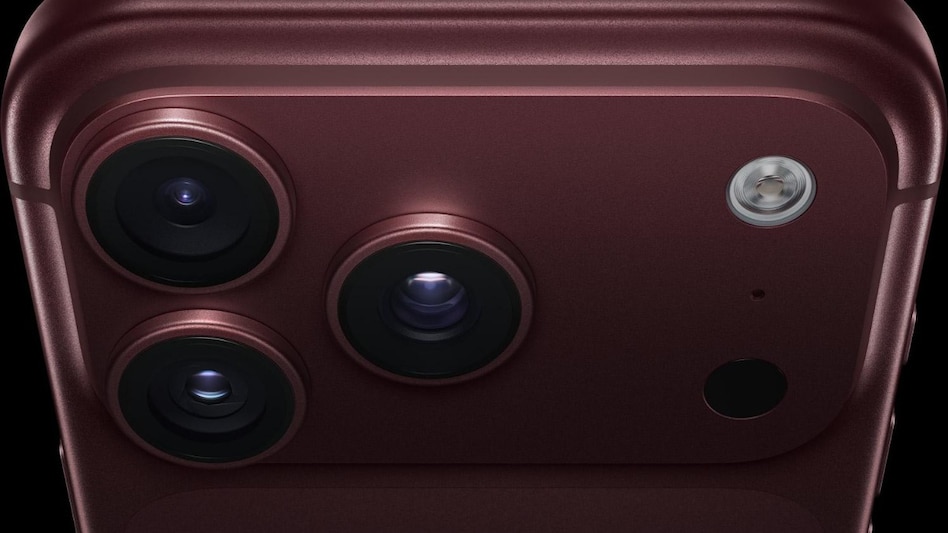
 capture Diwali night photographs using the iPhone 18 Pro camera.
Diwali is one occasion when you want to capture almost every moment, from family members dressed in traditional outfits and candid celebrations to beautifully decorated homes and fireworks lighting up the night sky. But photographing these moments in low light can be challenging, especially when bright lights and dark backgrounds appear together.
If you have an iPhone 18 Pro, knowing how to use its camera controls can make a difference. Here is how to get the best out of its camera during your Diwali celebrations.

 Gold at $3,800–4,000: Could an AI spending crash trigger the next bullion rally? Jefferies explains
 'Emergency was a mistake...': Sonia Gandhi says Indira Gandhi eventually regretted 1975 decision
 Coca-Cola India bottler files IPO papers with SEBI; nearly 100 crore shares on offer, revenue rises 20%
 E20 petrol row: Centre rejects Karnataka's 31% ethanol claim, says all 893 samples passed quality tests
 LK Advani turns 99 on November 8; BJP to hold special hawan at Delhi headquarters
 PROMO | Muhurat Trading Special: Top Experts Share Market Insight & Investment Tips For Samvat 2083
 Agniveer Scheme Gets 2-Year Extension | What Changes For Agniveers?
 Gold Price Target ₹2 Lakh By Next Dhanteras? Ajay Kedia Expects Fresh Rally Despite Volatility
 Gold Prices Down 30%: Why Ajay Kedia Sees A New Bull Run Ahead | Gold & Silver Outlook
 Samvat 2083 Outlook: Why Investors Should Focus on the Next 10 Years, Not 6 Months

 Muhurat Trading 2026: Banks, chemicals or AI infrastructure — where are brokerages placing their bets?
 SEBI's new rules from November 7: Can you settle a market violation by paying ₹3 lakh?Gold at $3,800–4,000: Could an AI spending crash trigger the next bullion rally? Jefferies explains
 South Korea crashed 15.57%, China fell 7.17% in October: Are emerging-market funds getting riskier?Coca-Cola India bottler files IPO papers with SEBI; nearly 100 crore shares on offer, revenue rises 20%
 'Democrat at heart': Sonia Gandhi defends Indira despite calling Emergency a mistakeMuhurat Trading 2026: Banks, chemicals or AI infrastructure — where are brokerages placing their bets?
 Diwali 2026: Best wishes, messages, quotes and greetings to share with family and friendsSEBI's new rules from November 7: Can you settle a market violation by paying ₹3 lakh?
 Indians invest 56% more in foreign stocks and bonds even as overseas remittances fall: What's driving the shift?