


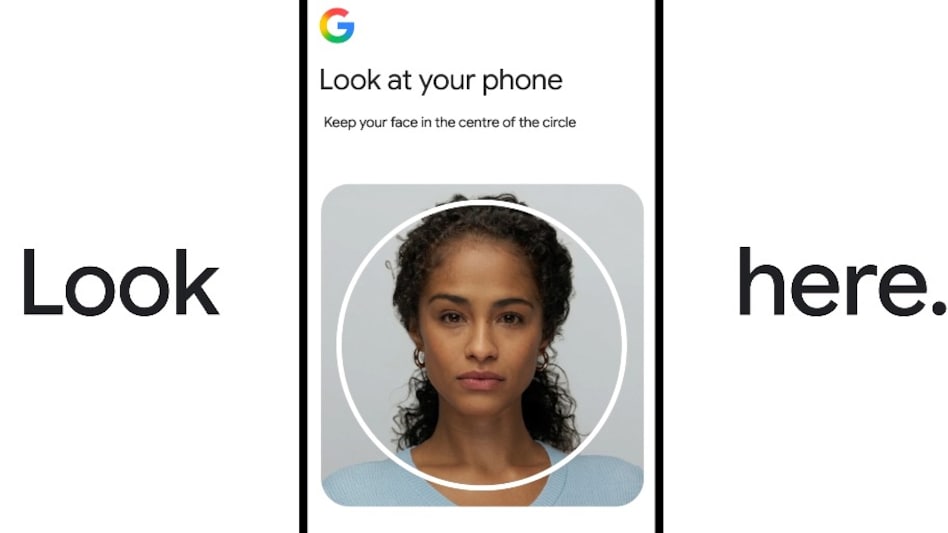
 With this feature, you simply need to record a short selfie video to prove your identity.
Google has rolled out a new account recovery feature called the “Selfie Video” method, allowing users to help regain access to their Google Account if they forget their password or can't complete other verification methods. With this feature, you simply need to record a short selfie video to prove your identity, eliminating the hassle of password- or security questions-based sign-ins.
Must read: Switching from iPhone to Android? Google’s Android 17 just made it much easier; Here’s how
How selfie video sign-in works
According to a Google blog post, Google's Selfie Video Sign-In offers an alternate way to access your Google Account when you are locked out, forget your password, or even when you lose access to your usual trusted devices or phone numbers. Google says the video will remain encrypted, and the selfie video will only be used to verify the user's identity during sign-in or account recovery.
To set up the selfie video sign-in, follow the steps below:
Step 1: Go to Google Account settings under Security & Sign-in and choose the Selfie Video option.
Step 2: Look into your device's camera and follow on-screen instructions to perform simple, guided head movements
Step 3: The feature will ask users for multi-angle registration; capturing multiple angles creates a baseline 3D representation of your facial features.
Sign-in & verification process
Step 4: While signing in, select the option to sign in using a selfie video.
Step 5: The system prompts you to record a short new video while following real-time instructions to perform specific movements on screen.
Step 6: Google’s authentication models compare the key geometric features of the new video against the stored reference video.
Step 7: If the features match and the movement checks pass, Google verifies your identity and grants access to your account.
Google also said, “It is recorded and securely stored with your consent, and you can delete it at any time in your Google Account.”
For Unparalleled coverage of India's Businesses and Economy – Subscribe to Business Today Magazine

 Why stock market opened lower for fourth session; decoding the equity crash in numbers
 ₹1 crore penalty, increased jail term, fast-track courts: Centre proposes changes to paper leak law - explained
 PM Modi in video message: ‘Bill against paper leaks to be introduced in Parliament, passed as early as possible’
 ‘Not evaluating proposal’: Adani Group denies reports about entering airline business
 Cockroach Janta Party-Centre talks today: Agenda, venue, metro routes affected and more
 Should You File Your ITR Yourself Or Hire A Tax Expert? Here's What To Know
 Samsung India's Akshay Gupta Reveals Idea Behind New Foldable Form Factor
 Why HFCL Raised Its FY27 Growth Target To 40% | Mahendra Nahata Exclusive
 Gold Vs Silver: Which Metal Should You Buy Now? Kunal Shah Decodes The Biggest Opportunities
 Nifty, Bank Nifty & Top Trading Picks | Market Masters With Prashant Shah
 Infosys shares slip 3% amid revenue guidance cut, weak market sentiment
  Caliber Mining & Logistics shares made a decent D-st debut; stock listed at 19% premiumWhy stock market opened lower for fourth session; decoding the equity crash in numbers
 Ujjivan SFB shares: 31% upside? 13 post-Q1 calls, all Buy; target prices
 Why this smallcap multibagger stock is showing 80% fall in some trading apps today?
 How IIT Delhi graduates built startup 'Animall' is digitising India's dairy cattle market
 Investors, take note! Gurugram just crossed a major office milestone that could reshape property demand₹1 crore penalty, increased jail term, fast-track courts: Centre proposes changes to paper leak law - explained
 'Ameer-gareeb debate bahut ho gayi': Ashneer Grover announces 'Fund My Staff' platform; details here
 'Jana Nayagan' box office collection day 1: Thalapathy Vijay's last film opens below ₹50 crore in India; trails behind 'Beast', 'GOAT'









