


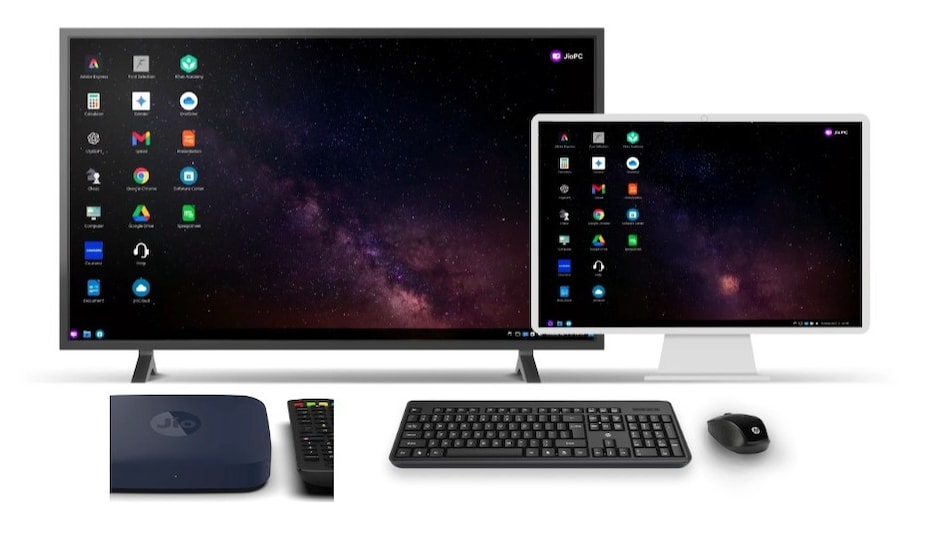
 JioPC runs on Ubuntu (Linux) and requires a USB or Bluetooth-enabled keyboard and mouse connected to the set-top box for use. Image: Jio.com
Reliance Jio chairman Akash Ambani unveiled JioPC on August 29, a smart new service that turns your Jio set-top box into a powerful, cloud-based personal computer. At Reliance Industries’ annual general meeting, Akash Ambani unveiled JioPC, which transforms a simple television or screen into a full-featured, AI-ready system.
Imagine this: instead of spending tens of thousands of rupees on a laptop or desktop, you simply plug a keyboard into your Jio Set-Top Box, and instantly, your television turns into a computer. The heavy lifting—processing power, storage, and updates—is all handled in Jio’s cloud servers. This means no more worrying about expensive hardware upgrades, slow systems, or outdated software. With JioPC, everything is scalable remotely—you pay only for what you use, and your virtual computer evolves with your needs.

 Global debt hits $365 trillion: Why inflation masks the world’s rising debt burden
 'Going to look very different in 365 days': US Labor Dept watchdog warns amid H-1B crackdown
 El Niño's weather paradox: How one climate event causes floods and droughts
 EPFO ₹25,000 ceiling: How much PF will be deducted from your salary from October 2026?
 From herbal remedy to ‘gas station heroin’: What is kratom and why is the US worried about it?
 R Veeramani Case: Granite Tycoon Faces Widening POCSO Probe In Chennai
 Gen Z And Money: Why Young Investors Want Quick Returns Over Long-Term Wealth Creation
 How Is Alexa+ Different? Will It have Ads Even If You Pay? Exclusive Chat
 Demand Robust Across Segments | Production To Ramp Up, Exports To Expand: Vivek Srivatsa
 GST Council To Meet On October 7: Invoice Matching, ITC & UPI MDR Tax In Focus
 IPO rush: Four IPOs conclude today; check subscription status, other details of issues still open
 Meesho shares slip 7% as Nomura assigns 'reduce' call; here's what the brokerage says
  Sensex, Nifty extend losing streak to seventh week, longest since 2020: What's next?
 Suzlon in bear grip: Oversold signals emerge near 52-week low for the stock
  EIL shares jump 7% to hit record high; stock up nearly 62% in six months: What's driving the rise?
 Mehli Mistry steps down from Tata Medical Centre Trust board, marks 6th exit from group entities
 10 missing after avalanche hits Himlung Himal base camp in Nepal, heavy snowfall & rain hits region
 ‘No UPI Day’: CAIT factchecks claims for October 2, calls reports ‘misleading’
  Fired for sleeping in a sauna? UK techie wants ₹964 crore compensation
 Iran's supreme leader Mojtaba Khamenei narrowly escaped second lethal strike inside Tehran hospital: Report












