


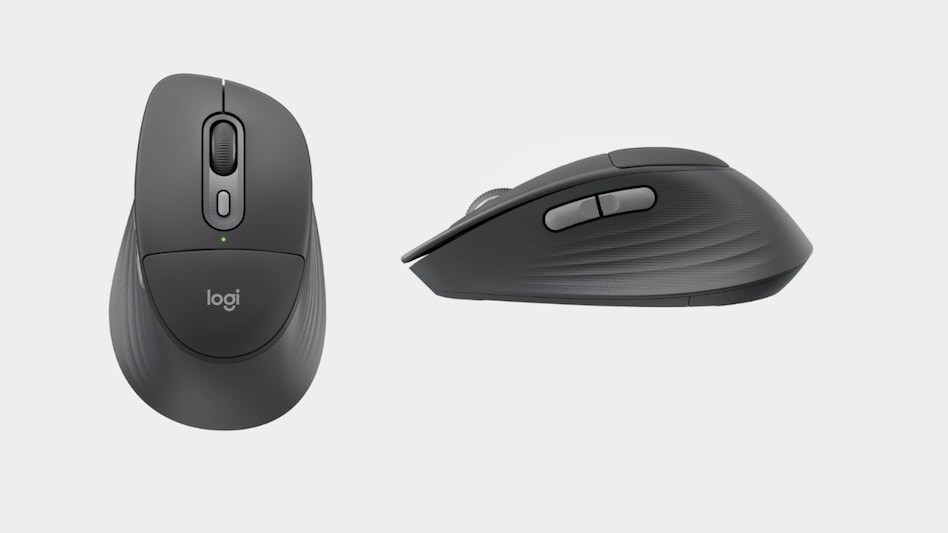
 Logitech Signature Comfort Plus M850 L review
When buying a mouse, fast performance is not the only consideration, as we also have to consider comfort needed to make those eight-hour workdays a little less tiring. A comfortable keyboard and mouse can make a noticeable difference, and that’s exactly where the Logitech Signature Comfort Plus M850 L fits in.
This wireless mouse is designed for all-day comfort, productivity, and seamless multitasking. It combines an ergonomic design, customisable controls, silent clicks, and multi-device connectivity, offering a comfortable work experience. The key highlight of the mouse is soft cushion padding where we can rest our palm.

 SEBI flags prima facie manipulation in Sensex closing auction session, blocks two entities
 SUVs are the talk of the town, so why is Škoda still betting on the sedan in India?
 One day, One university: Modi government's new outreach plan to reach Gen Z students
 No rate cut yet: RBI signals patience as food, fuel inflation risks persist
 N Chandrasekaran exit: Uncertainty looms over Tata AGM; here's what experts say
 Nifty Falls For 7th Straight Session: Is This A Buying Opportunity? Sharad Avasthi Explains
 “Invest In India, Invest In U.P”: Ashwini Vaishnaw’s Big Pitch For Japan At Business Conclave
 Empowering Conscious Enterprise Leadership
 Bonds, AAA Debt Provides Strong Cushion To Portfolio
 7 Types Of Income That Are Taxable For Senior Citizens | Tax Guide | Personal Finance | Money Today
 Market Closing Auction: Sebi asks brokers to accept orders in first five minutes SEBI flags prima facie manipulation in Sensex closing auction session, blocks two entities
 Sensex, Nifty extend losing streak amid weak global cues; what's ahead for Dalal Street?
 Ambit, Motilal Oswal see over 25% upside in this renewable energy player
 Samvardhana Motherson: Easy gains no longer in sight, says analyst after stock hits record high
 This Aluminium foil hack can fix your damp walls and save thousands - check how it worksMarket Closing Auction: Sebi asks brokers to accept orders in first five minutes
  NBCC cancels e-auction of 262 luxury homes in Delhi’s ChanakyapuriSEBI flags prima facie manipulation in Sensex closing auction session, blocks two entities
 India beat Pakistan 5-3, advance to next round of Hockey World Cup












