


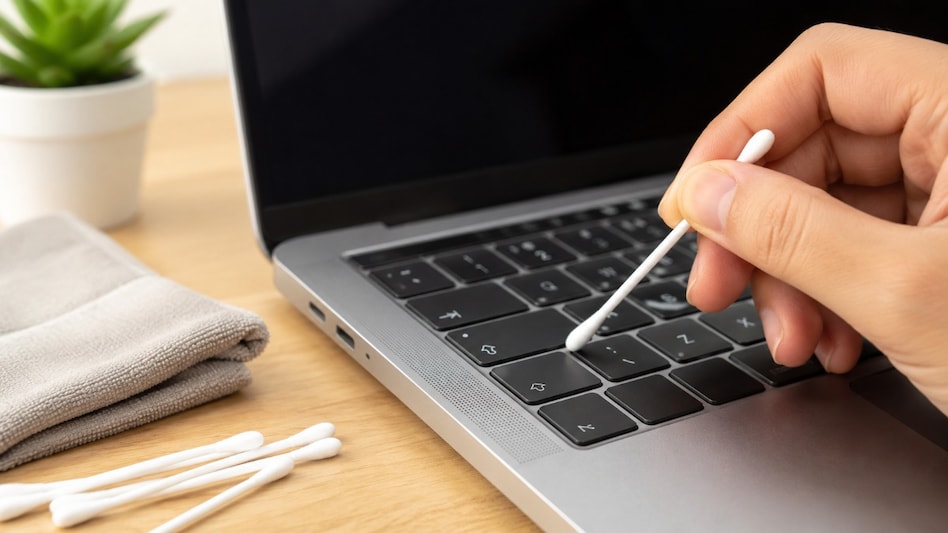
 A cotton swab can help remove dust and debris from hard-to-reach laptop corners.
Your laptop may look clean after a quick wipe, but dust, crumbs, hair and other debris can still collect in areas that are difficult to reach. These particles can settle around keyboard keys, touchpad edges, narrow seams and ventilation grilles, making routine cleaning harder over time.

 Festive season sales: ACs, TVs, appliances to get costlier by up to 8% from October 1
 Mehli Mistry steps down from Tata Medical Centre Trust board, marks 6th exit from group entities
 Global debt hits $365 trillion: Why inflation masks the world’s rising debt burden
 UNSC reform: Russia backs India's seat bid, demands end to Western dominance
 'Going to look very different in 365 days': US Labor Dept watchdog warns amid H-1B crackdown
 R Veeramani Case: Granite Tycoon Faces Widening POCSO Probe In Chennai
 Gen Z And Money: Why Young Investors Want Quick Returns Over Long-Term Wealth Creation
 How Is Alexa+ Different? Will It have Ads Even If You Pay? Exclusive Chat
 Demand Robust Across Segments | Production To Ramp Up, Exports To Expand: Vivek Srivatsa
 GST Council To Meet On October 7: Invoice Matching, ITC & UPI MDR Tax In Focus
 IPO rush: Four IPOs conclude today; check subscription status, other details of issues still open
 Meesho shares slip 7% as Nomura assigns 'reduce' call; here's what the brokerage says
  Sensex, Nifty extend losing streak to seventh week, longest since 2020: What's next?
 Suzlon in bear grip: Oversold signals emerge near 52-week low for the stock
  EIL shares jump 7% to hit record high; stock up nearly 62% in six months: What's driving the rise?
 30-day recharge plan: Raghav Chadha shares 'good news' for prepaid mobile users in India
 National dignity first: Former US ambassador says India must call US bluff over Russia sanctions pressure
 Want to earn while gaming? Here are 7 free mobile games to explore
  ‘He is scared’: CJP’s Ashutosh Ranka hits out at Himanta Sarma after detention in AssamUNSC reform: Russia backs India's seat bid, demands end to Western dominance












